WhereQ-DOSBox: a DOS machine in your pocket


The picture in the middle of my phone is 4:3, with black bars on either side — and those bars are not wasted, they hold the keyboard. The picture is a blue DOS banner and a prompt:
C:\>
The cursor blinks. It does not explain itself, and it does not need to.
This is a 1994 machine — a 486, a sound card, a two-button mouse — and it fits in one hand. Everything I used to type into it still works: cd, dir, copy, mount c .. It works because it is the same machine: DOSBox r4305 running as a native library inside the APK, not in a browser tab, not in a WebView. Native code, in your pocket, at native speed.
Watch it running
FIFA 96 in the middle, the two console pads in the letterbox bars either side, and the 1990 World Cup song under it — all of it the real DOSBox core, running natively inside the APK.
The machine
WhereQ-DOSBox is a native Android port of DOSBox. The core is DOSBox r4305 from the SDL2 branch, imported from Em-DOSBox — Boris Gjenero's Emscripten build — and compiled for Android with the NDK and CMake into libdosbox.so, which ships inside the APK.
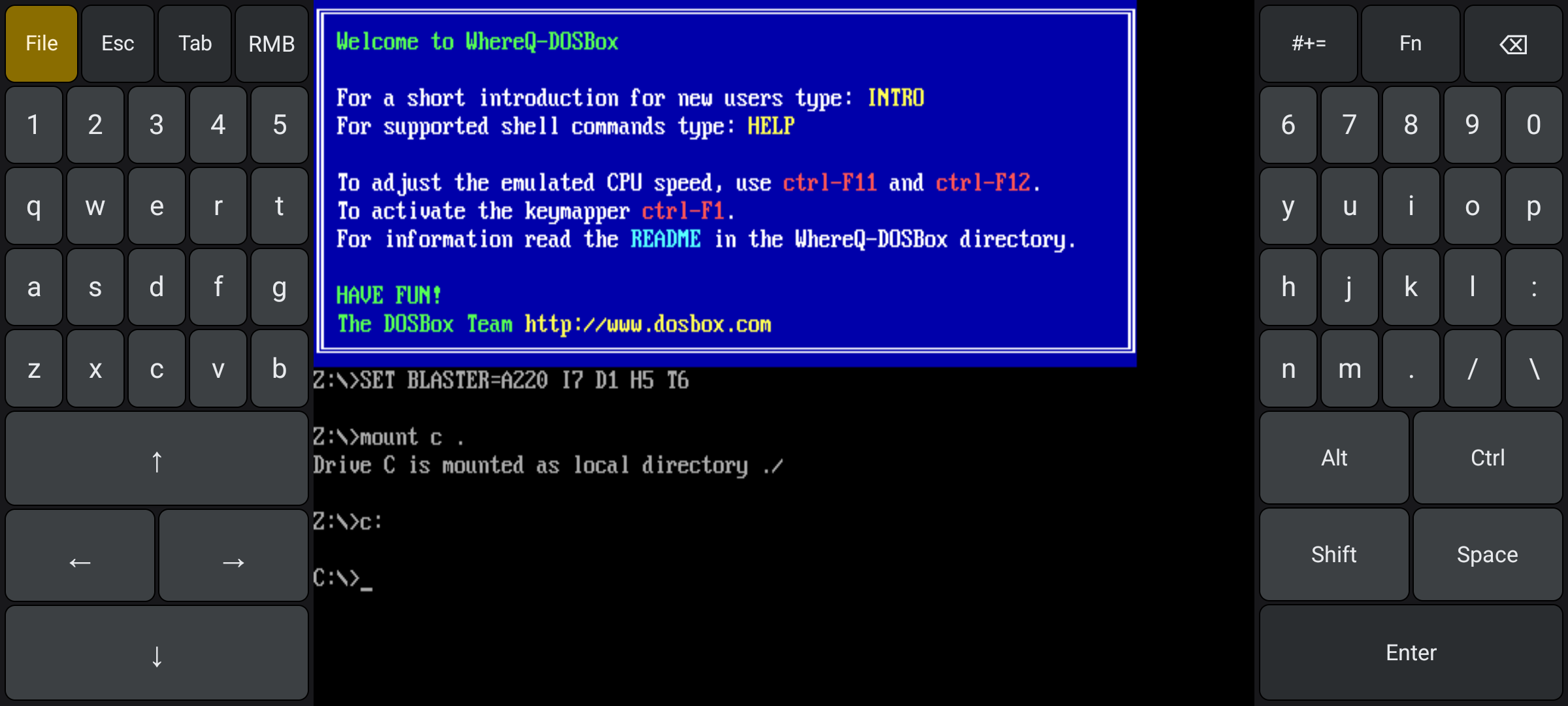
The welcome screen and the C:> prompt. Touch moves the DOS mouse; the keys type into DOSBox.
It runs on arm64-v8a, armeabi-v7a and x86_64 — three ABIs in one APK — and needs Android 5.0 or newer. The licence is GPL-2.0, because the core is GPLv2 and that licence leaves no choice. The app collects nothing and never asks for the INTERNET permission, so it cannot send anything anywhere.
The launcher
The File button opens the launcher. A bundle is a .zip of DOS software — a game, a utility, a text-mode program; it is called a bundle because it need not be a game. Three ways in: Install a bundle (.zip) through the system file picker, install all bundles from a folder, or Open with WhereQ-DOSBox from a file manager. None of them asks for a storage permission: the picker hands out the access, and the app only sees what you picked.
A bundle unpacks into C:\GAMES\<n> with a generated RUN.BAT; Start file… picks the entry point by hand when the guess is wrong. Files are stored under their DOS 8.3 names — upper case, eight characters plus three. That is not decoration: DOSBox caches the drive listing, so a file whose name DOS can spell is still found after the emulator started, and a program asking for RESOURCE.CFG ends up at RESOURC.CFG, as on a real DOS.
The keyboard is a console
The DOS picture is 4:3 and centred, so in landscape the keys live in the black bars beside it, one hand on each side, the way a handheld console is built. The left pad holds the arrow keys as a D-pad, the left half of a split QWERTY, and File, Esc, Tab, RMB along the top. The right pad holds Alt, Ctrl, Shift, Space, Enter, the right half of the QWERTY, and #+=, Fn, Backspace.
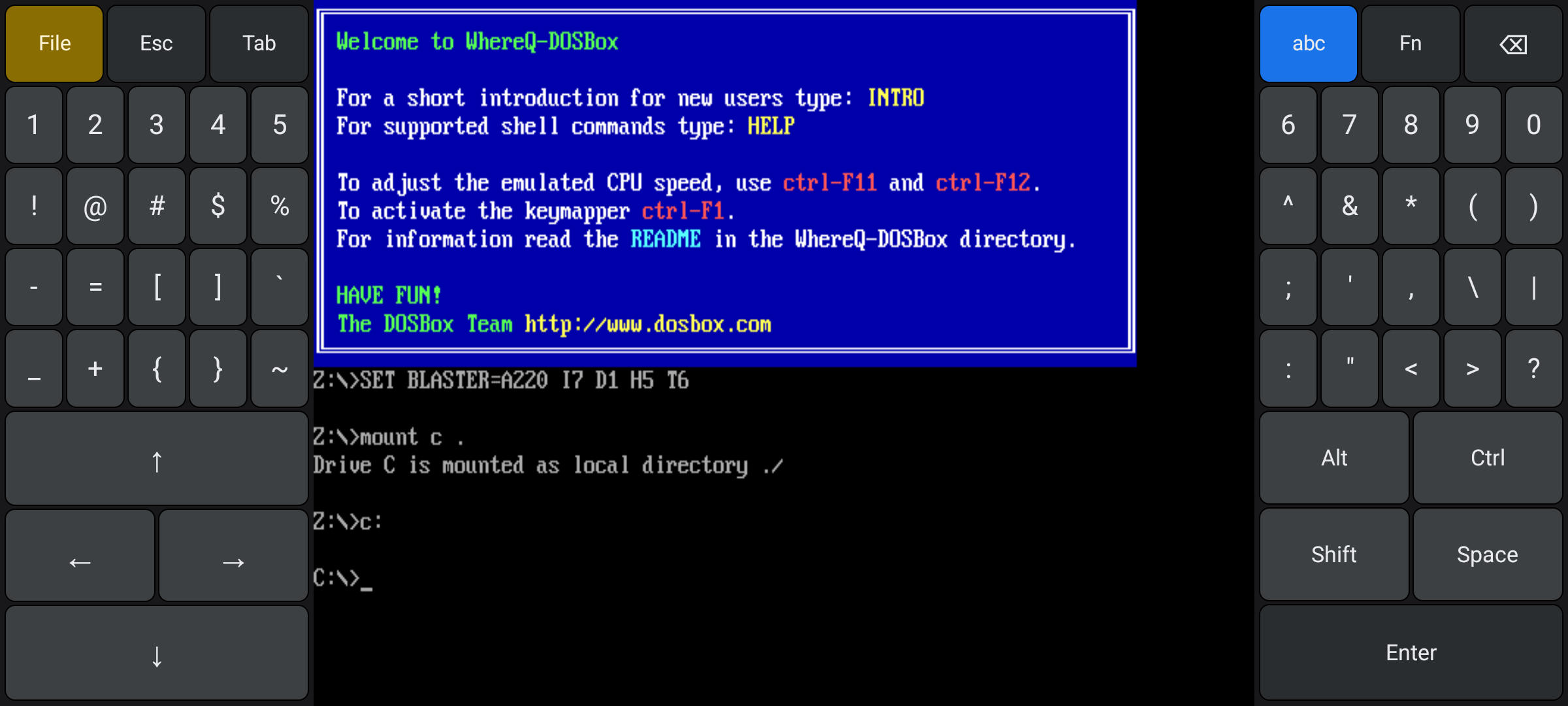
Nothing covers the picture. One hand on each side — and the #+= layer is on here, so the punctuation sits where the letters were.
The letter layer already carries : . / \, so a DOS path needs no layer switch. #+= swaps both halves for the punctuation, Fn for F1–F12 and the other function keys. Ctrl, Alt and Shift work both ways: tap one and it stays armed for the next key, hold it and it behaves like a real key while the other thumb steers.
The layout follows the screen: a letterbox bar of at least 116 dp gets the full pads, a narrower one a single column per side and the fold-up QWERTY, portrait a slim strip along the bottom. The letter keys come to about 33 dp wide on a 20:9 screen and 24 dp on an 18:9 one.
The finger is the mouse
A DOS mouse has two buttons and a touchscreen has one. The first finger holds the left button as long as it is down, so a drag drags. RMB sends a right click where the cursor stands, and a second finger does the same at its own position. Both are held, not tapped: a game that reads the mouse live — the button state at INT 33h AX=3 — misses an instantaneous click.
Game Mode: the pads turn into a gamepad
With the pads showing, switch Caps Lock on (double-tap Shift) and type the code everybody already has in their fingers:
↑ ↑ ↓ ↓ ← → ← → B A
The pads flip into a gamepad: an eight-way D-pad, a trackball, and Y, X, CTRL, ALT, SPACE and ENT. The code is matched on the case of the letters, so a lowercase ba just types ba into the DOS prompt.
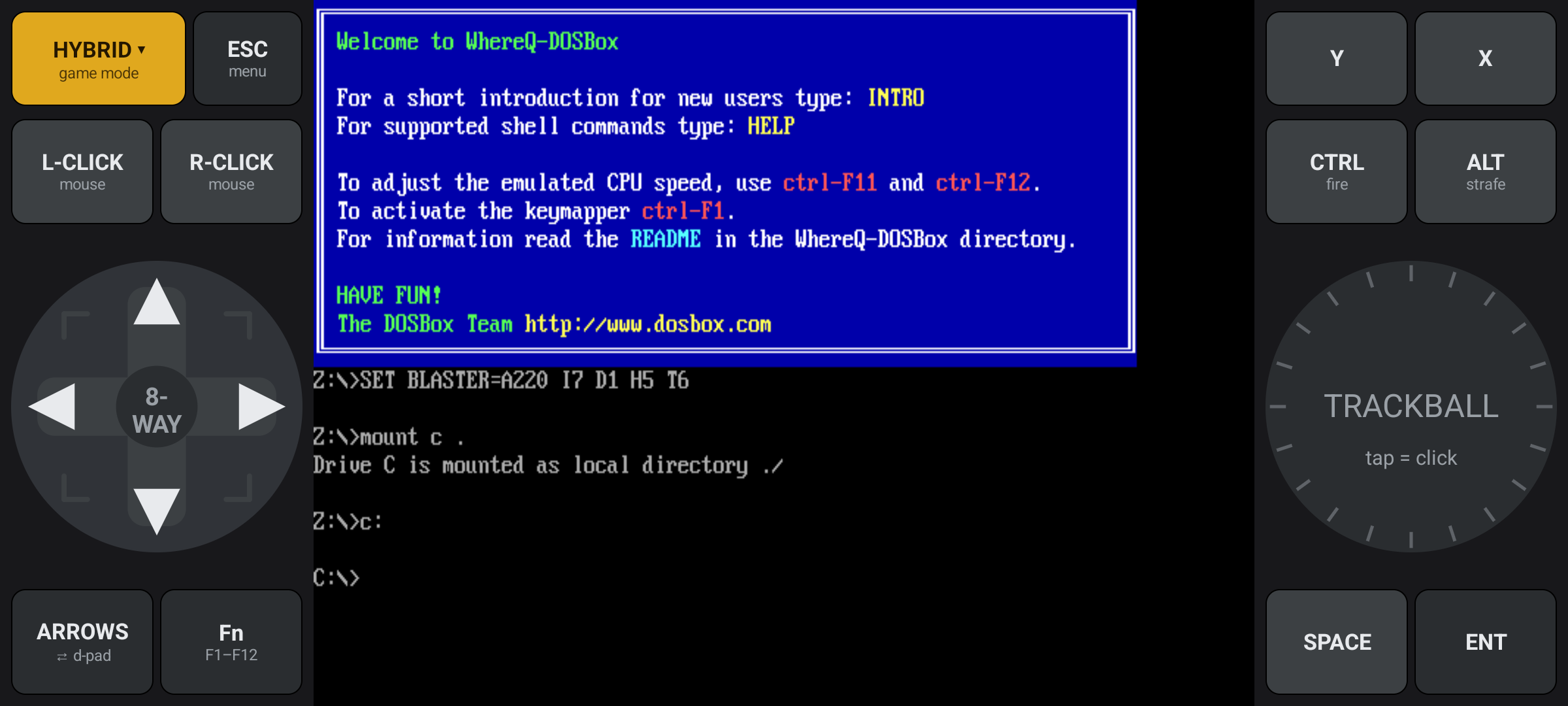
Game Mode. The letter pads are gone; a D-pad and a trackball take their place, in the same two bars.
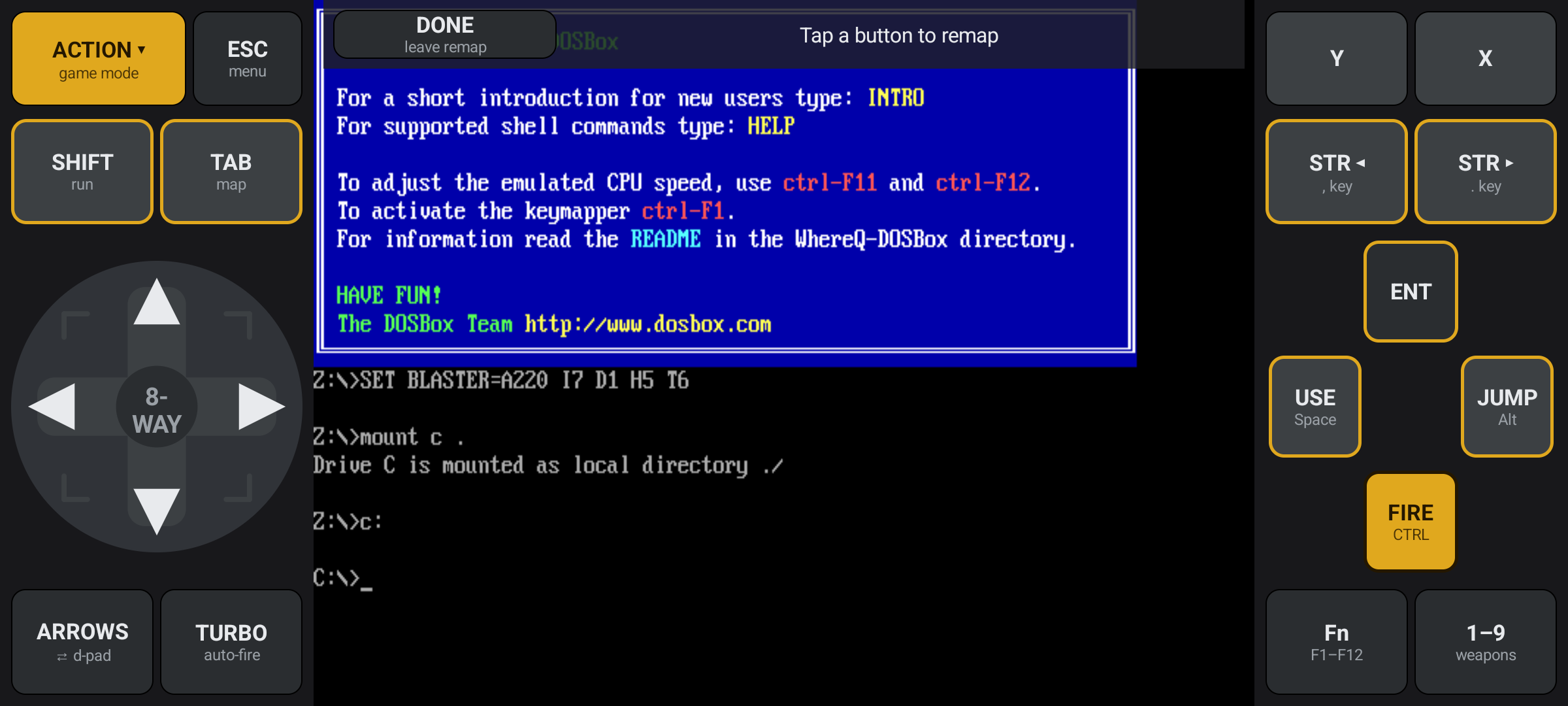
Game Mode, with the remap screen open. The gold outline marks the buttons that can be remapped.
Long-press the gold profile button and pick Remap buttons…; the remap belongs to that one game and is remembered. The D-pad output cycles between ARROWS, NUMPAD and WASD, and the button carries the name of the mode you actually have. The same code on the D-pad (then X, Y) takes you back, and the Back button does it too.
The gamepad sends the same SDL events the keyboard sends, so the guest cannot tell the two apart — no new input path for a 1994 game to learn.
Save states: the whole machine
Every game gets three slots. Save freezes the running machine — the CPU, the DOS memory, the video memory, the open DOS file handles, the hardware timers — and Load jumps back to that exact moment. A slot is a file on the phone, so it survives quitting the app and rebooting the phone.
The sound chips are part of the machine too. The FM chip is snapshotted exactly — envelope, wave phase, LFO counter — so a note continues from the middle of its attack instead of starting over, and the PC speaker comes back silent. Resume restores the newest save state of the last game and names it: Resume STARFALL · slot 1 · 5 min ago.
Your saves, outside the app
A slot lives in the app's own storage, and Android deletes that when the app is uninstalled. Pick a folder on the phone — Config → Saves folder, or the offer after the first save — and every slot is mirrored there, gzipped, next to the game itself. A reinstall, a new phone, an app deleted by accident: they all come back, and the games are offered for restore by name.
The smaller things
There is exactly one setting today: the CPU core. auto is the default — the interpreter for real-mode programs, the recompiling (JIT) core for protected-mode ones; normal, dynamic, simple and prefetch are the alternatives, and normal is the fallback for old programs that misbehave on the recompiler.
The licence travels with the app: the full GPL v2 text and the NOTICE are inside the APK, and the launcher's footer opens them, next to the source and the privacy policy.
The Back button works. From Android 13 on the system stopped sending the back key to the app, and SDL's surface swallowed what did arrive, so the button did nothing at all. The app handles it itself now, and the presses walk out in order: the launcher, then Game Mode, then the keyboard panel, then the app. And every loadable segment of libdosbox.so is aligned for 16 KB memory pages, so the library loads on the 64-bit devices that require them — Android 15 and newer.
STARFALL, and a test that proves the sound
examples/game-bundle holds STARFALL: a 16-bit DOS arcade game in assembly, about 5 KB, one .COM file, no runtime. It exercises VGA graphics, the BIOS keyboard buffer and the PC speaker, so a new user can install a bundle, press Play and watch something run without finding a game first.
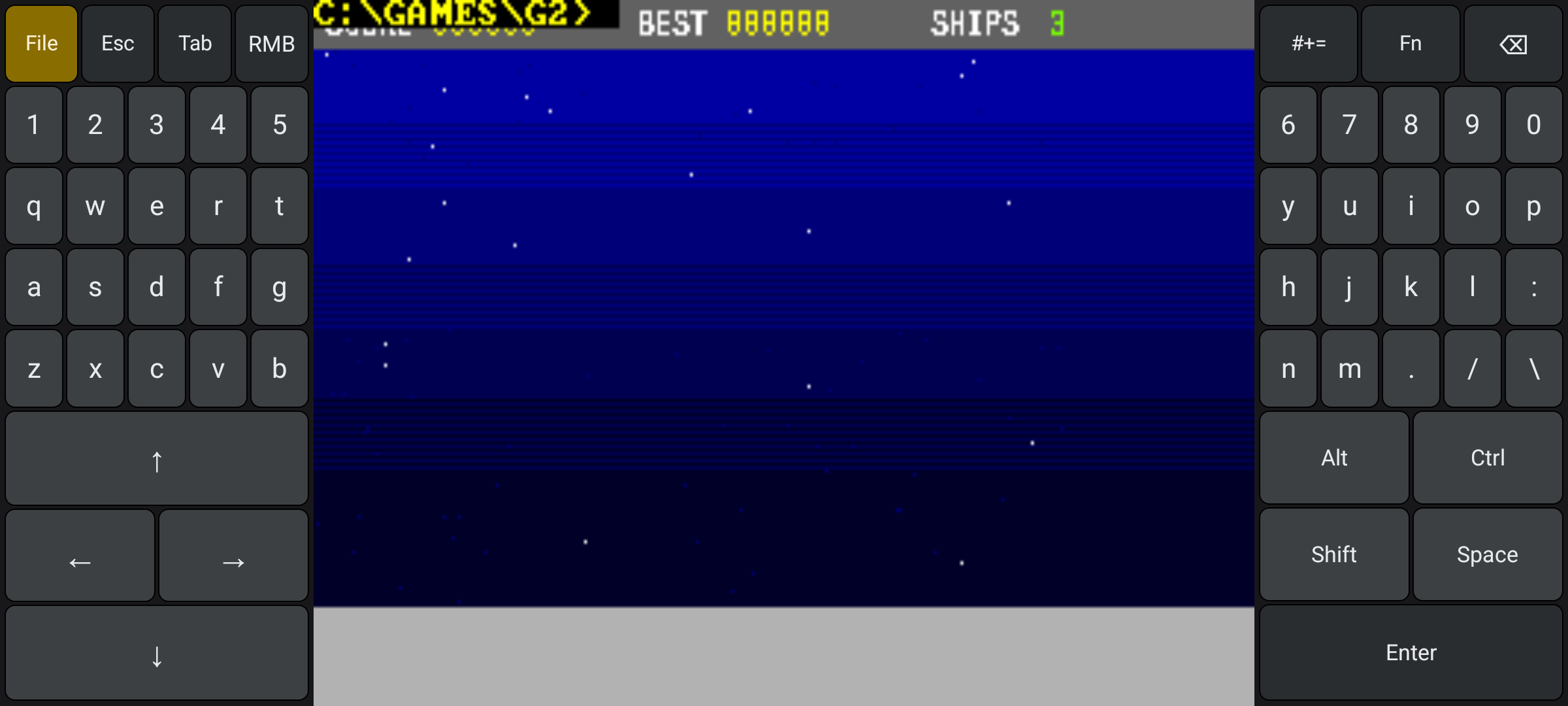
STARFALL in the emulator. The keys are the app's, not the game's.
examples/opl-test-bundle is a test, not a game: it programs one sustained tone on the FM chip and waits for a key. That is how the exact sound restore is proved — the app writes one line to the log on every save and on every load, and the two have to be identical, two minutes of live chip time apart.
Where the project stands
The Android migration is finished, and the repository carries a tag that says so:
milestone/android-migration-complete
The core builds for three ABIs, the app layer works, save states carry the whole machine with the sound chips included. What follows is maintenance: bug fixes and documentation, no new features.
The ledger of every release — what each version changed and why — lives in downloads/README.md in the repository. The ones that shaped the app are written up here as stories: DOSBox inside an APK, the whole machine in one file, the keyboard becomes a handheld console, the save that outlives the app and a console-style gamepad for your thumb. The announcement is where this started; the user guide is the step-by-step version, and the interrupt map lists every INT the emulator answers.
What is still open
Everything is verified on an emulator — API 37, x86_64. There is no real ARM64 run, no on-device benchmark, and no on-device check of the JIT's RWX code cache. That cache is the risk surface on a real phone: if the allocation were refused, DOSBox exits with Allocating dynamic cache failed instead of falling back, and the answer there is core=normal.
The audio latency is not tuned yet — the block size and the prebuffer still carry the Emscripten build's numbers. There are no GLES2 scalers, so the picture relies on the CPU scalers. A bundle cannot be exported back out, and one shipping its own dosbox.conf cannot be run yet. There is no real gamepad: the tree references no SDL_CONTROLLER*, and DOSBox still uses the legacy SDL_Joystick. There is no IME and no non-ASCII text input — the keyboard emits key codes, not text.
android:allowBackup is still an open product decision: should the DOS files in the private directory be backed up? There is no R8/ProGuard shrinking, and no Play Store AAB from this repository.
And some old DOS programs still do not survive a restore — the extender of Ultima VIII, for example — because the snapshot does not capture the DMA controller, the EMS/XMS handle tables and the PIC event queue yet. That is a limitation of the DOS internals, not of the app.
Get it
👉 github.com/whereq/whereq-dosbox/releases
whereq-dosbox-1.0.0.17.apk
size:   16 510 522 bytes (15.8 MB)
sha256: 796203db84f31e994c45a3965fe3919b5e7a030a5ad8e45e4a9eabbed3f4ac0a
Copy the APK to the phone, open it with the Files app, allow the install from unknown apps when Android asks, install, and open WhereQ-DOSBox. It is signed with the release key of the repository, so a later version replaces it in place.
One warning for anyone building from source: without the release key the Gradle build falls back to the debug key, and that APK cannot be installed over a release-signed one — Android refuses it with INSTALL_FAILED_UPDATE_INCOMPATIBLE.
The repository is the documentation
This post is not the manual. The manual is the repository:
- the README — what the app is, and how the port touches the core;
- docs/TECHNICAL-REFERENCE.md — the whole implementation in one document;
- docs/USER-GUIDE.md — the guide for the phone's owner;
- docs/INTERRUPTS.md — the interrupt map, every INT the emulator answers;
- docs/PRIVACY.md — the privacy policy, next to
COPYINGandNOTICE, where its whole history is public.
The project is GPL-2.0, and the DOSBox core is embedded with its AUTHORS, ChangeLog, COPYING and per-file headers intact, as that licence requires.
Thank you, DOSBox
None of this is possible without the DOSBox project.
DOSBox was written by the DOSBox Team — a volunteer crew who took an operating system from 1994 and made it runnable on every machine the world has produced since, including the ones that did not exist yet. They kept it alive for three decades and gave it away to anyone who wanted it. WhereQ-DOSBox is a thin layer on top of their work; the originality, the craft and the generosity are entirely theirs.
This port is built on Em-DOSBox, the Emscripten build of DOSBox r4305 by Boris Gjenero, which grew out of Ismail Khatib's first attempt to compile DOSBox with Emscripten, and rode on the Emscripten work of Alon Zakai. SDL2 by Sam Lantinga carries the window, the audio and the touch input.
DOSBox is a trademark of the DOSBox project; this port is not affiliated with or endorsed by the DOSBox team.
A phone in your pocket can open a DOS prompt. That is the whole idea, and it took longer than it should have.