WhereQ-DOSBox 1.0.0.8: save the whole machine, and a Resume button that resumes


The button that lied
Two releases ago I gave the launcher a Resume button. It looked like a promise: press it, and you are back in the game you were playing.
It was not. It started the last game from the beginning, every time.
I did not notice it myself, because on my desk the emulator process was still alive — the game had never really stopped, so there was nothing to resume. Then somebody on a phone pressed the button, lost an hour of progress, and told me plainly: the Resume button restarts the game.
They were right, and the fix was not a one-liner. It took a whole-machine snapshot.
What a save state is, when you are serious about it
A DOS game has its own save files. Some games have them; many do not; the ones that do usually save somewhere in the current directory and expect you to find your way back through a menu.
A save state is a different thing: it is the entire machine, frozen.
Not the game — the machine. The CPU with its registers, the DOS memory, the video memory, the hardware timers, the files the program had open. Everything that made the game that game at that moment, so that restoring it puts you back in the same instant rather than near it.
DOSBox r4305 has no save state at all, so I wrote one into the port. Every game gets three slots, written as files in the app's private directory, which means they survive quitting the app, rebooting the phone, and updating the APK.
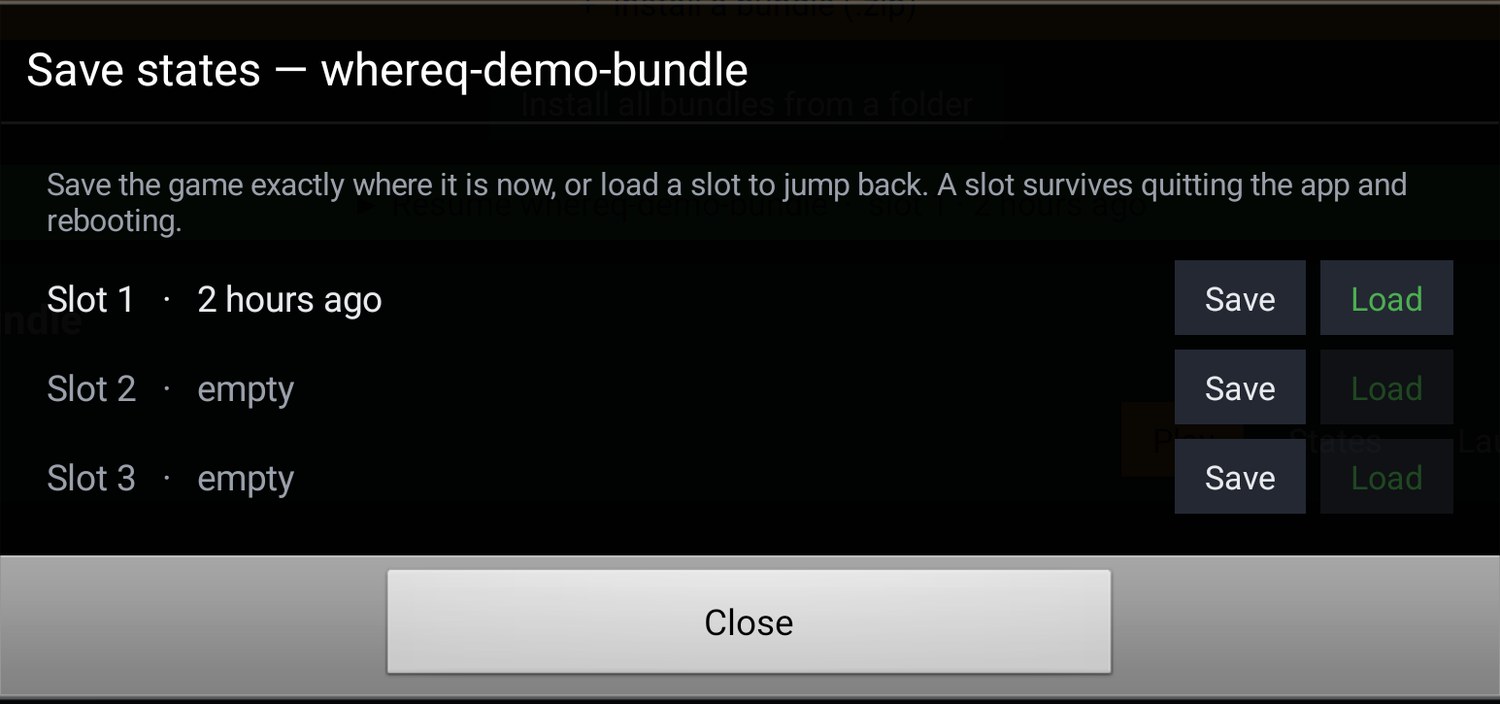
Three slots per game. Save freezes the running machine, Load puts it back. The slots are files on the phone — they survive quitting the app.
There is a subtlety that cost me two days and is worth writing down, because it is the difference between a snapshot that works and one that crashes the game.
The snapshot has to be taken at a safe point: the guest program must actually be running, the picture must have settled, and the CPU must not be standing inside an interrupt callback with an IRET pending. Take it in the wrong place and you restore into the middle of a BIOS call — the kind of corruption that looks like a broken game rather than a broken save.
And it has to capture the DOS layer, not just the CPU. A game that has SOUND\MUSIC.FLX open expects that file to still be open when it comes back. Without the file handles in the snapshot, Ultima VIII walked into its own extender and aborted with DOS Error=0006 (invalid handle) a second after every restore. With them, the sixteen handles come back and the music keeps playing.
So now Resume means resume
The button restores the newest slot of the last game you played, and it tells you what it is about to do: Resume whereq-demo-bundle · slot 1 · just now. With no slot saved, it starts the game from the beginning, exactly as before.
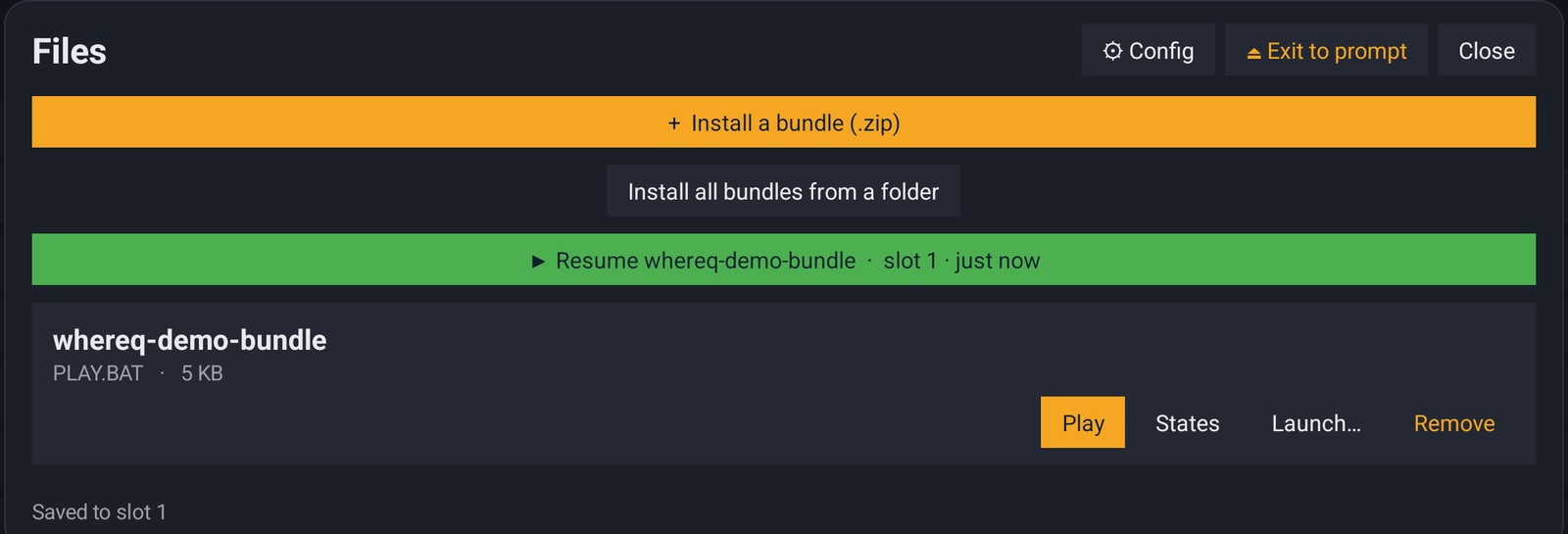
Saved to slot 1 — and the Resume button already knows: the game, the slot, and how long ago it was written.
Under the hood this is not a button that copies a file. The app tears its own process down, boots a clean emulator with nothing queued, waits for the picture to settle, and only then restores the machine into it. A restore that happens a fraction of a second too early — while the phone is still rotating the screen — restores into a renderer that is about to be thrown away, and you get a black screen. I chased that one for a while too.
The honest part
Some old DOS programs do not survive a restore. Ultima VIII's extender still aborts about a second after the load, with Exit to error: RET from illegal descriptor type 13.
That is not the app, and it is not the Resume path: loading the same slot by hand, with the panel open, does exactly the same thing. What the snapshot does not capture yet is the rest of the host state a DOS/4GW game leans on — the sound chips and their DMA, the EMS and XMS handle tables, the VCPI PIC vector remapping, the mouse, the RTC, and the PIC event queue. It is milestone work that is not finished, and the porting log says so in the same words.
Until it is: STARFALL saves and resumes perfectly, and a game like Ultima VIII can be saved and restored, but its extender does not like what it finds.
The game keeps running now, too
The other thing I got wrong was assuming that leaving the app would leave the game alone. On Android it does not: the OS is free to reclaim the process of a backgrounded app, and DOSBox keeps the whole machine in RAM — so the game was simply gone, with no warning.
While a game is running, a small ongoing notification now holds the process. Switch to another app, come back later, and the game is exactly where you left it — no save, no reload, just the frame you walked away from.
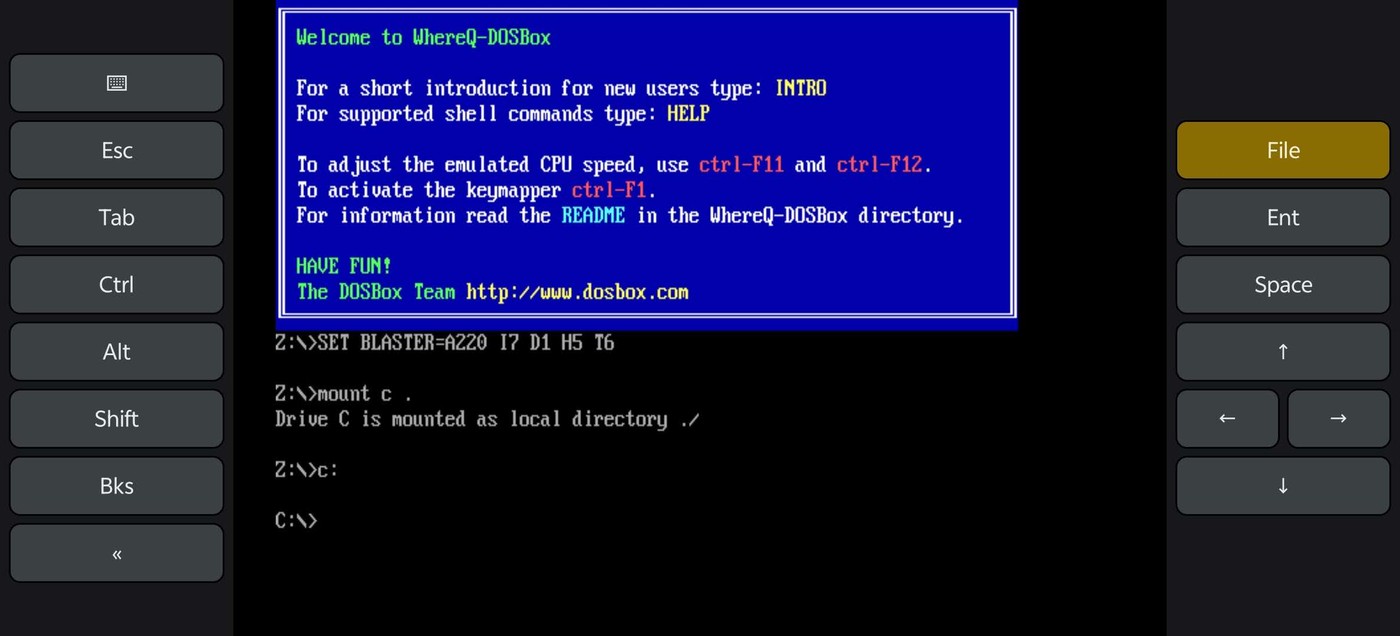
The app on a phone. The four arrows now sit in the inverted T of a real keyboard — up on top, left and right side by side, down below — so the thumb finds the direction by shape alone.
That last change is small and I am fond of it. The arrows used to be a single vertical column, which is nothing like the keyboard they stand in for: the finger had to know which of the four was which. Now the thumb reads the shape.
Get it
The release APK is in the repository, signed with the release key, so it installs over 1.0.0.7 in place:
👉 github.com/whereq/whereq-dosbox — tag v1.0.0.8
downloads/whereq-dosbox-1.0.0.8.apk
sha256: ed17f39bddeb9e871485df390f772f19c5a43abdbf3b5845c7abd4afbb602ca3
It runs on arm64-v8a, armeabi-v7a and x86_64 devices, Android 5.0 and newer, entirely offline, with no account and no tracking. The project is GPL-2.0, and the DOSBox core is embedded with its AUTHORS, ChangeLog, COPYING and per-file headers intact.
Again, this post is not the documentation. The documentation is the repository: the build guide, the porting log — including the section that explains exactly how a snapshot is taken and why it has to wait for a safe point — the benchmark notes, and every line of the port. Please read those rather than take my word for it.
Thank you, DOSBox
None of this is possible without the DOSBox project.
DOSBox was written by the DOSBox Team — a volunteer crew who took an operating system from 1994 and made it runnable on every machine the world has produced since, including the ones that did not exist yet. They kept it alive for three decades and gave it away to anyone who wanted it. WhereQ-DOSBox is a thin layer on top of their work. The originality, the craft and the generosity are entirely theirs.
This port is built on Em-DOSBox, the Emscripten build of DOSBox r4305 by Boris Gjenero, which grew out of Ismail Khatib's first attempt to compile DOSBox with Emscripten, and rode on the Emscripten work of Alon Zakai. The SDL2 library by Sam Lantinga carries the window, the audio and the touch input.
DOSBox is a trademark of the DOSBox project; this port is not affiliated with or endorsed by the DOSBox team.
If you press Resume and your game comes back exactly where you left it — or if it does not, and the save state is where you give up on it — tell me. I am keeping a list, and it is the most useful thing anyone can send me.