WhereQ-DOSBox 1.0.0.15: a console-style gamepad for your thumb


One thumb was never going to be enough
There is a moment in every DOS game played on a phone where the game stops being a game and becomes a dexterity test.
You are holding the phone in two hands, and the game wants three things at once: go left, fire, jump. The on-screen keyboard is a good way to type MOUNT C . and a bad way to play that. One thumb stays on the arrows; the other one has to leave them to find the letter B, and for a second — a second that a game with a timer does not give you — nobody is steering.
So you play the games you can finish with one thumb, and you do not play the others. A keyboard built for typing is a fine typewriter and a poor controller.
1.0.0.15 gives that keyboard a second face.
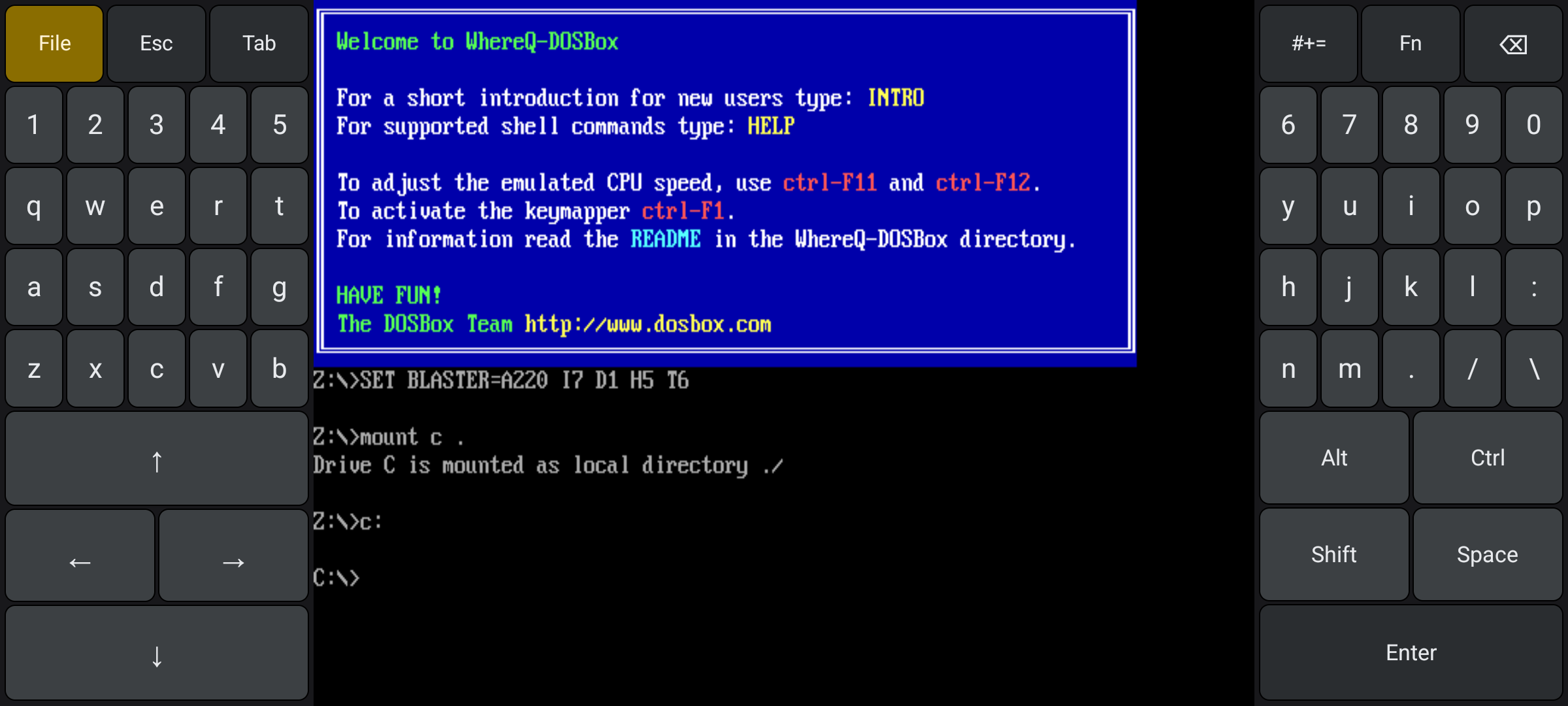
The keyboard pads in landscape: the picture in the middle, one hand on each side. This is the layout Game Mode replaces.
The pads turn into a gamepad
Game Mode lives inside the keyboard panel. There is no second app to open: the phone simply grows a different set of controls in the same place.
With the keyboard pads showing, switch Caps Lock on — double-tap Shift if you would rather not hunt for it — and type the code already in everybody's fingers:
↑ ↑ ↓ ↓ ← → ← → B A
The pads flip. What was a QWERTY board becomes an eight-way D-pad, a trackball, and the buttons a DOS game actually fires, jumps and strafes with: Y, X, CTRL, ALT, SPACE and ENT.
The D-pad is the part you will use most, and the part you will press hardest: eight directions under one thumb, nothing to reach for. The trackball takes the other thumb and moves the pointer like a laptop touchpad — stroke to move, tap to click.
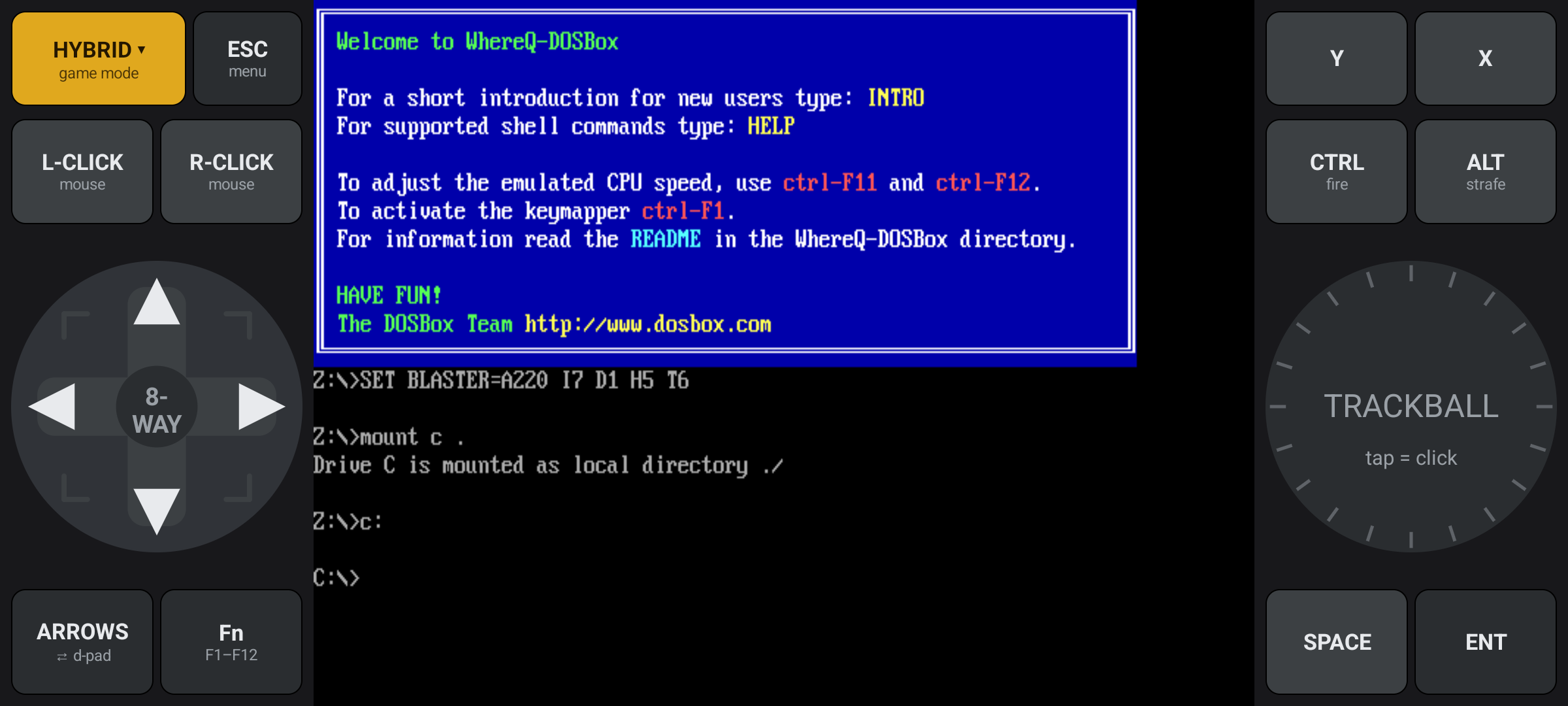
The Hybrid profile: a D-pad on the left, a trackball on the right, and the mouse buttons beside it.
The gold button at the top-left names the profile, and each game remembers the one you last used with it. Hybrid is the default — a D-pad and a trackball, for the games that mix keys and mouse. Action swaps the trackball for the buttons a keyboard arcade game actually wants: FIRE, JUMP, USE and ENT. Point & click goes the other way, with big LEFT and RIGHT mouse buttons under the left thumb.
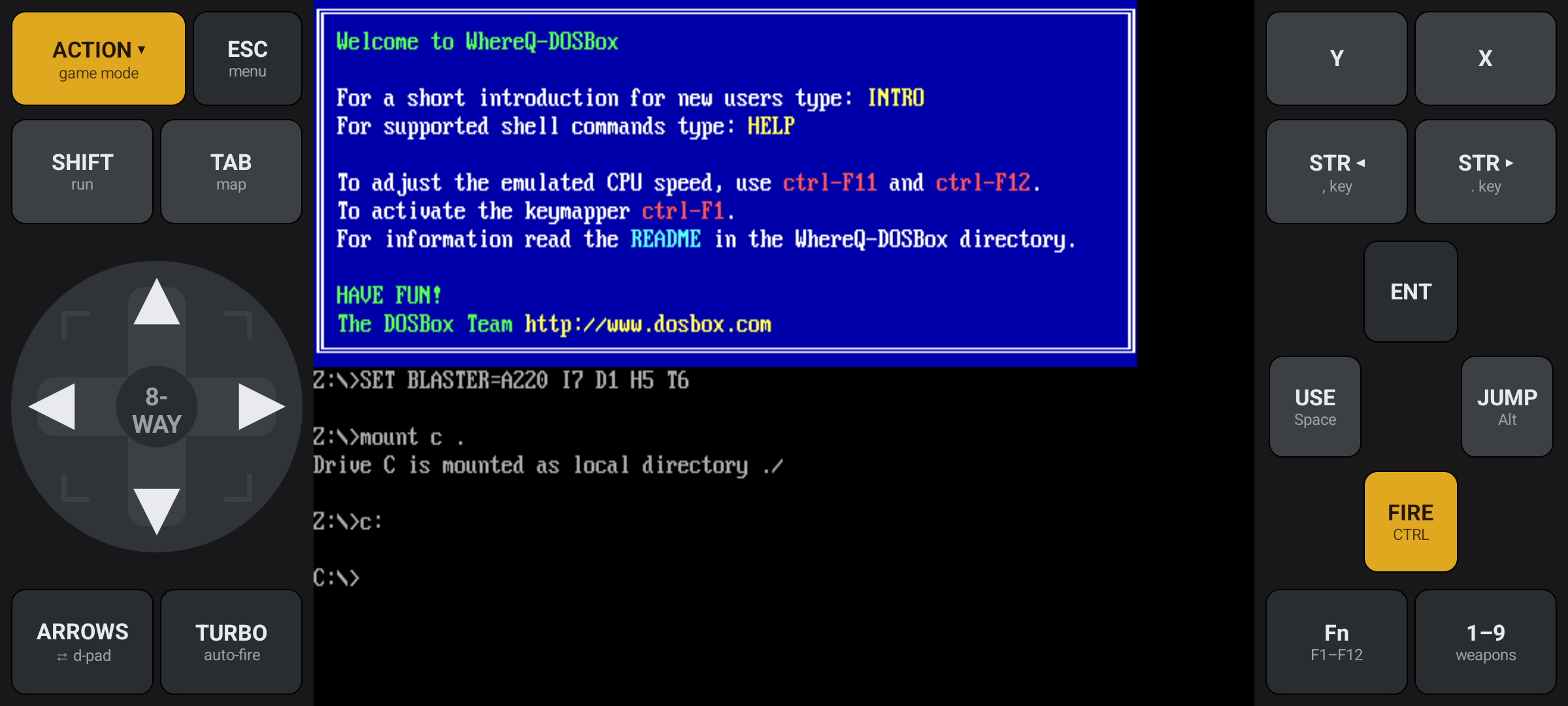
The Action profile: FIRE, JUMP, USE and ENT, for the games that fire and jump on the keyboard.
To go back, type the same code on the D-pad and then X, Y — the face buttons stand in for B and A. Or press the phone's Back button, which leaves Game Mode as readily as it leaves the keyboard.
The two letters that have to be capital
The code is matched on the case the letters are actually typed in.
That sounds like pedantry, and it is not. Type a lowercase "ba" and the emulator does exactly what you asked: it types "ba" into the DOS prompt, and you sit at C:\> with two stray letters and a game that never started.
So the B and the A must be capital. Caps Lock is not a suggestion — it is the first half of the spell.
The D-pad speaks three dialects
DOS games do not agree on what "up" is: some read the cursor keys, some the numeric keypad, and the ones written after the letters became a game input read WASD.
The button under the D-pad cycles between the three, and the app remembers your choice per game:
| mode | up / down / left / right | a diagonal | pick it for |
|---|---|---|---|
| ARROWS | the arrow keys ↑ ↓ ← → | two keys at once (↑ + →) | most games — anything that reads the cursor keys |
| NUMPAD | the keypad 8 / 2 / 4 / 6 | a single key — 7 / 9 / 1 / 3 | keypad games, where a diagonal is a key of its own |
| WASD | the letters W / A / S / D | two keys at once (W + D) | later shooters, and anything mapped to WASD |
The button carries the name of the mode you actually have, so it never says ARROWS while the pad is sending WASD. And if your game ignores the D-pad, it is almost always the wrong mode — switch until it answers.
Every button can be remapped
Every game wants its buttons somewhere else. The one that shoots on X and the one that shoots on Y are both common, and both are wrong for you at least once.
Long-press the gold profile button and pick Remap buttons…. The screen enters remap mode: the buttons that can be changed are outlined in gold, you tap one, a list of keys opens, and you pick the key you would rather have.
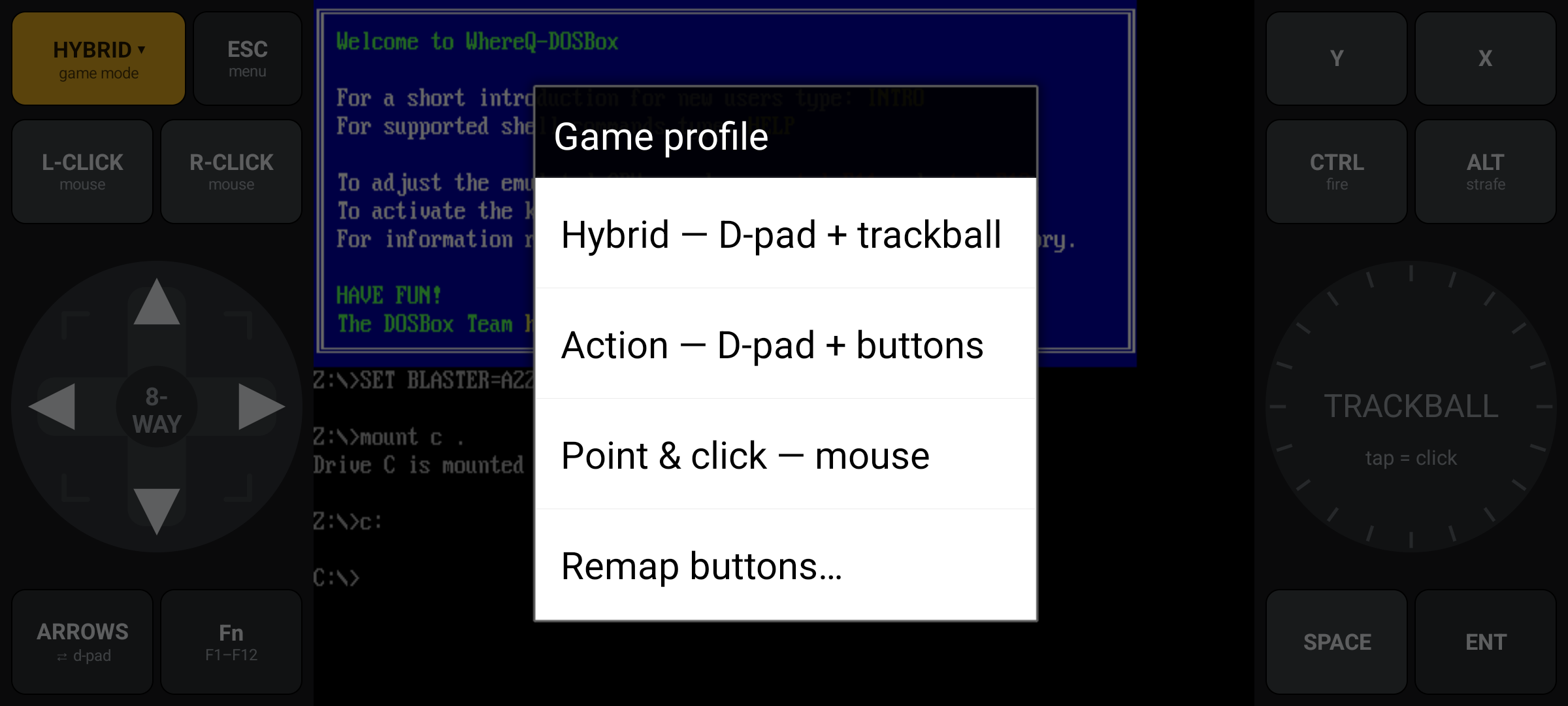
Long-press the gold profile button and the picker opens — the three profiles, and the way into the remap screen.
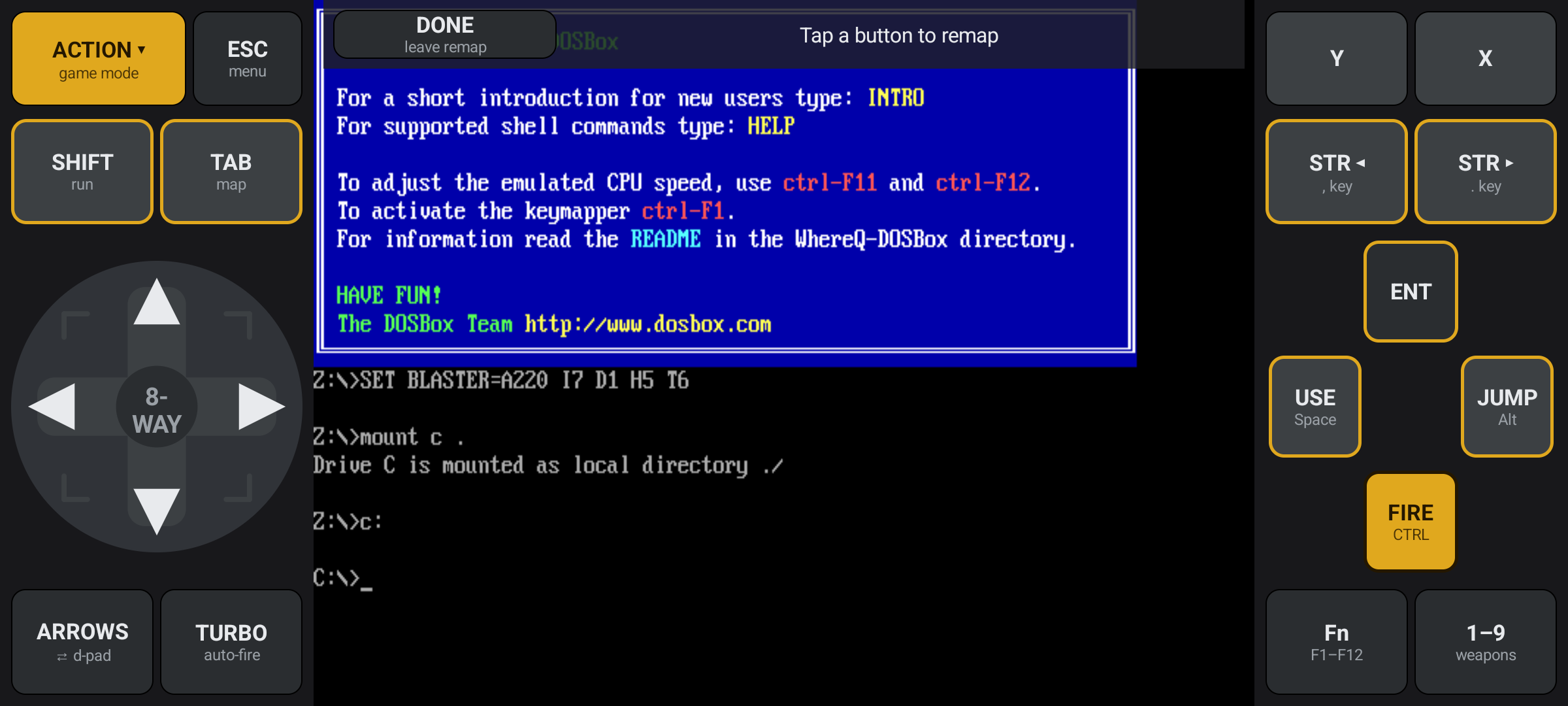
Remap mode: the gold outline marks the buttons you can change; on the gold FIRE button it has to be dark brown, or it would disappear.
The remap belongs to that one game and is remembered: the same title always plays the same way, next time and the next.
The gamepad is a keyboard
Here is the part I am happiest about, and it is not a feature you can see.
The gamepad pushes the same SDL key events the on-screen keyboard pushes, and they travel the same road: through the mapper, into the emulated keyboard, into the BIOS buffer, out through INT 09h like a real keystroke. The guest cannot tell the two apart. There is no new input path to teach a game and no new driver for a 1994 title to be suspicious of. A button on the gamepad is a keystroke, exactly as a key on the keyboard is.
That is also why the gamepad asked nothing of the emulator core: it is an app-layer thing, and the core was never told.
The mouse is a separate road: the trackball's motion becomes a relative mouse-motion event, the kind a real mouse sends, and the SDL layer now accepts it. The click buttons become real mouse buttons.
That is the whole design. The keyboard grew a second skin instead of becoming a new machine.
One thing this is not: a joystick. There is no analogue stick behind it and no joystick hardware anywhere in the app — a game that needs a real analogue axis is still a game this app cannot play.
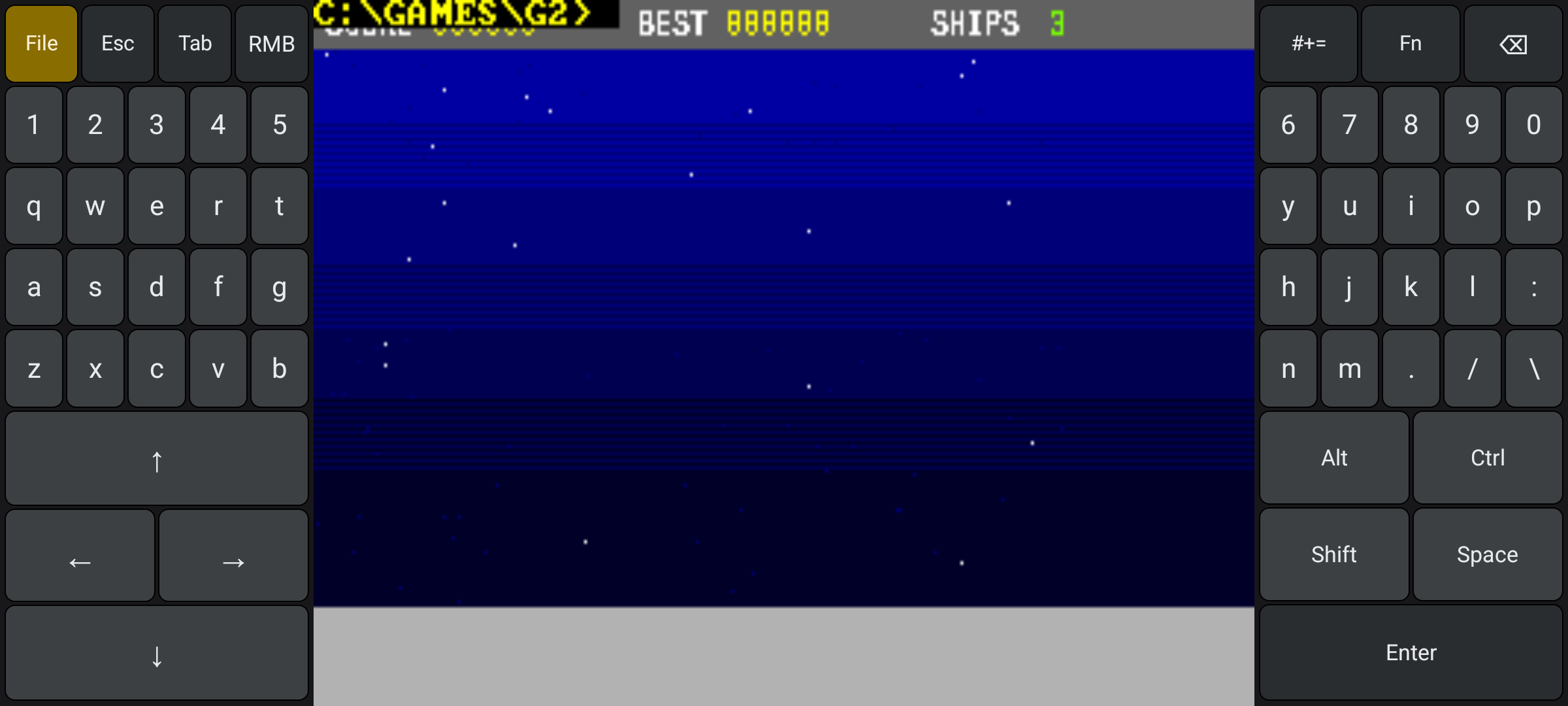
STARFALL in the emulator. The pads beside it are still the keyboard ones — in Game Mode they turn into the gamepad in the same place.
Your save states still load
The save-state format did not change. Game Mode is a new way of pressing the same keys, so every save state written by the earlier releases loads normally.
This one matters more than the feature does. A release that quietly changes the format leaves a generation of slots unopenable; the honest way to change a format is to change it loudly, with a version bump.
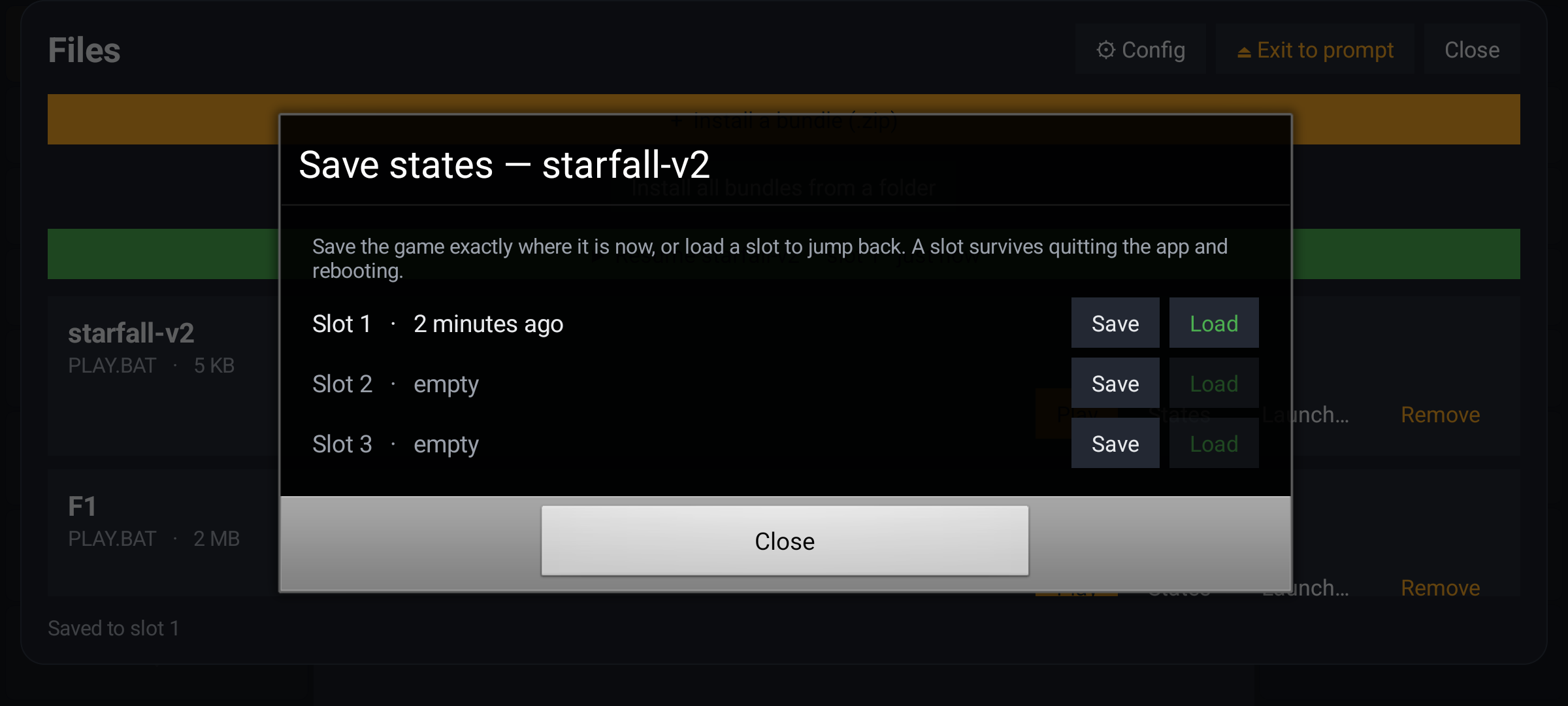
Three slots per game, a file on the phone behind each of them — the whole machine in one file, as 1.0.0.8 put it.
Leaving the app is clean
A smaller fix, in the same release.
A shutdown that failed used to abort the process with SIGABRT — and it did that while it was only shutting down, a strange time to crash. The error is caught now and the exit carries on.
I would not put this in a headline. But an emulator that dies on the way out teaches you to distrust it, and I would rather it simply left.
Get it
The release is on the releases page as tag v1.0.0.15. The APK is published as a release asset built by CI from that tag, with a .sha256 sidecar next to it, so you can check what you downloaded.
👉 github.com/whereq/whereq-dosbox — the source, and the whole history of it.
It runs on arm64-v8a, armeabi-v7a and x86_64 devices, Android 5.0 and newer, entirely offline, with no account and no tracking. The project is GPL-2.0, and the DOSBox core is embedded with its AUTHORS, ChangeLog, COPYING and per-file headers intact.
If you are new here, the announcement says what the project is, and the user guide walks through every screen of it. The console that the keyboard became is about the pads Game Mode replaces, and the save that outlives the app about the slots that still load. For the whole picture of the project, read WhereQ-DOSBox; for what a key does inside the machine, the interrupt map has it.
Again, this post is not the documentation. The documentation is the repository: the Game Mode chapter of the user guide, the technical reference, and the interrupt map. Please read those rather than take my word for it.
Thank you, DOSBox
None of this is possible without the DOSBox project.
DOSBox was written by the DOSBox Team — a volunteer crew who took an operating system from 1994 and made it runnable on every machine the world has produced since, including the ones that did not exist yet. They kept it alive for three decades and gave it away to anyone who wanted it. WhereQ-DOSBox is a thin layer on top of their work, and Game Mode is a thin layer on top of that. The originality, the craft and the generosity are entirely theirs.
This port is built on Em-DOSBox, the Emscripten build of DOSBox r4305 by Boris Gjenero, which grew out of Ismail Khatib's first attempt to compile DOSBox with Emscripten, and rode on the Emscripten work of Alon Zakai. The SDL2 library by Sam Lantinga carries the window, the audio and the touch input — and now the gamepad too.
DOSBox is a trademark of the DOSBox project; this port is not affiliated with or endorsed by the DOSBox team.
A thumb can hold a direction, a button and a ball at the same time. The game, written in 1994, never has to know the difference.