Customizing Keycloak Themes with Keycloakify: A Modern Approach
Keycloak is a powerful Open Source Identity and Access Management (IAM) solution widely adopted by organizations and companies. However, customizing its theme can be challenging due to limited documentation and the use of FreeMarker, an older templating technology that lacks modern developer-friendly features. Enter Keycloakify, a one-stop solution for customizing Keycloak themes using modern web technologies like React, TypeScript, Tailwind CSS, and Vite. This article explores how Keycloakify simplifies Keycloak theme customization and why it’s the best choice for developers looking to modernize their Keycloak UI.
Why Customize Keycloak Themes?
Keycloak is highly customizable, but its default UI may not align with your organization's branding or design requirements. Customizing the theme allows you to:
- Add your logo and branding elements.
- Align the UI with your application’s design system.
- Improve user experience with modern, responsive designs.
- Add custom functionality or workflows.
However, Keycloak’s reliance on FreeMarker for theming makes customization cumbersome. FreeMarker lacks the flexibility and developer experience offered by modern front-end frameworks like React.
What is Keycloakify?
Keycloakify is a toolchain designed to simplify Keycloak theme customization. It abstracts the complexities of FreeMarker and provides a modern development workflow using:
- React: For building dynamic, component-based UIs.
- TypeScript: For type safety and better developer experience.
- Tailwind CSS: For utility-first, responsive styling.
- Vite: For fast development and bundling.
Keycloakify acts as a lightweight middleware layer, allowing you to customize Keycloak’s UI while maintaining compatibility with its backend services. It supports all Keycloak theme types (Login, Registration, Account, etc.) and ensures seamless integration with the latest Keycloak versions.
Why Keycloakify is the Best Solution
1. Modern Tech Stack
Keycloakify replaces FreeMarker with React, enabling developers to use modern tools like Vite, Tailwind CSS, and TypeScript. This makes the development process faster, more efficient, and enjoyable.
2. Active Maintenance
Keycloakify is actively maintained and keeps up with the latest Keycloak releases. This ensures compatibility and access to new features.
3. End-to-End Toolchain
Keycloakify provides a complete development workflow, from local development to integration testing with Keycloak running in Docker. This eliminates the need for manual setup and reduces friction.
4. Abstraction Layer
Keycloakify abstracts the communication between the front-end and Keycloak’s backend, ensuring that your customizations don’t break when Keycloak’s backend changes.
My Experience with Keycloakify
I wanted to customize Keycloak to align with my organization’s branding and add new Service Providers. My tech stack included Keycloakify, Tailwind CSS, and React. Here’s how I approached the customization:
Challenges Faced
- PatternFly Dependency: Keycloak’s default UI components are built on PatternFly, which is not very customization-friendly.
- Component Rewriting: I decided to rewrite Keycloak’s UI components using plain React and Tailwind CSS, modularizing them for reusability.
Work Done
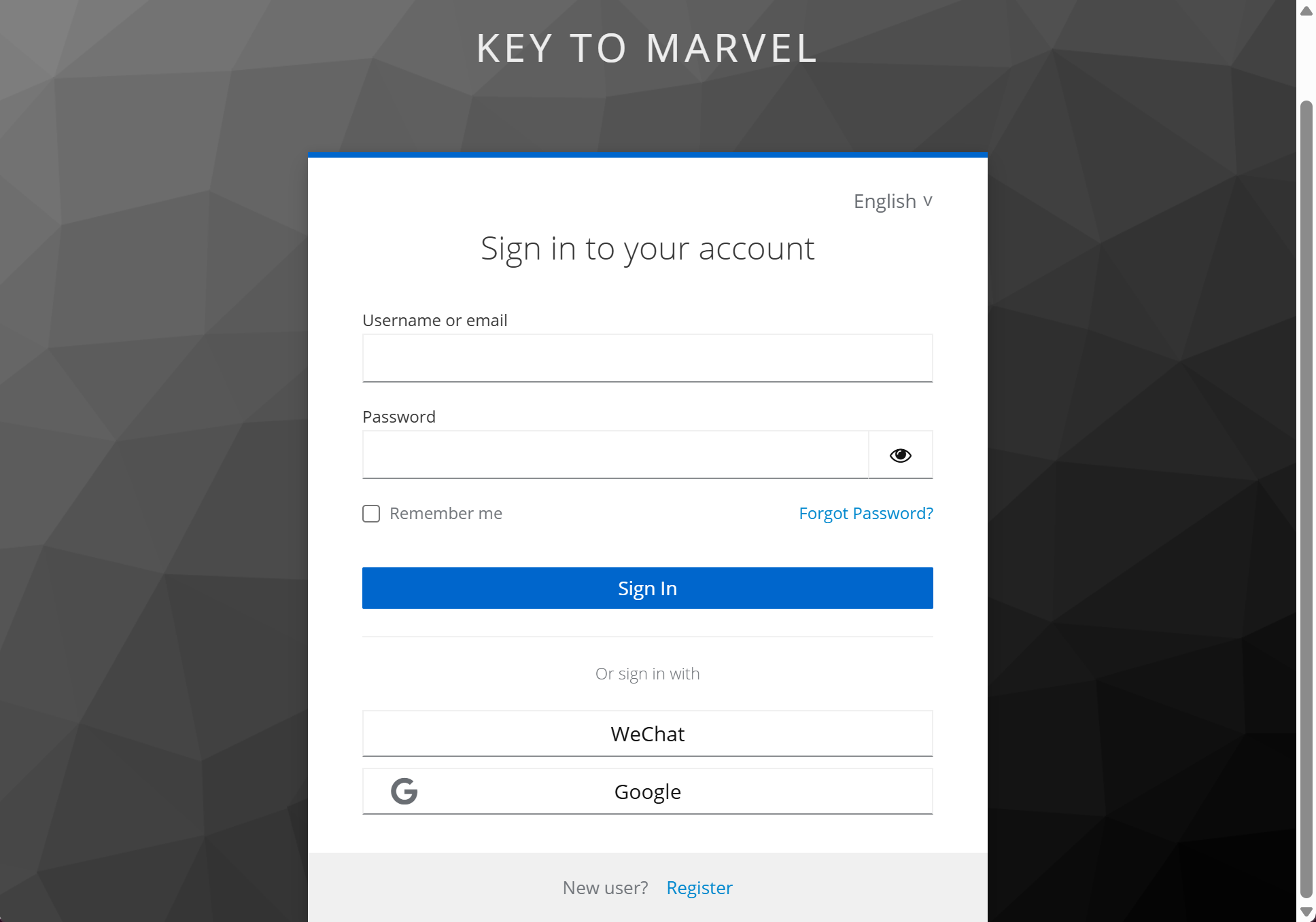
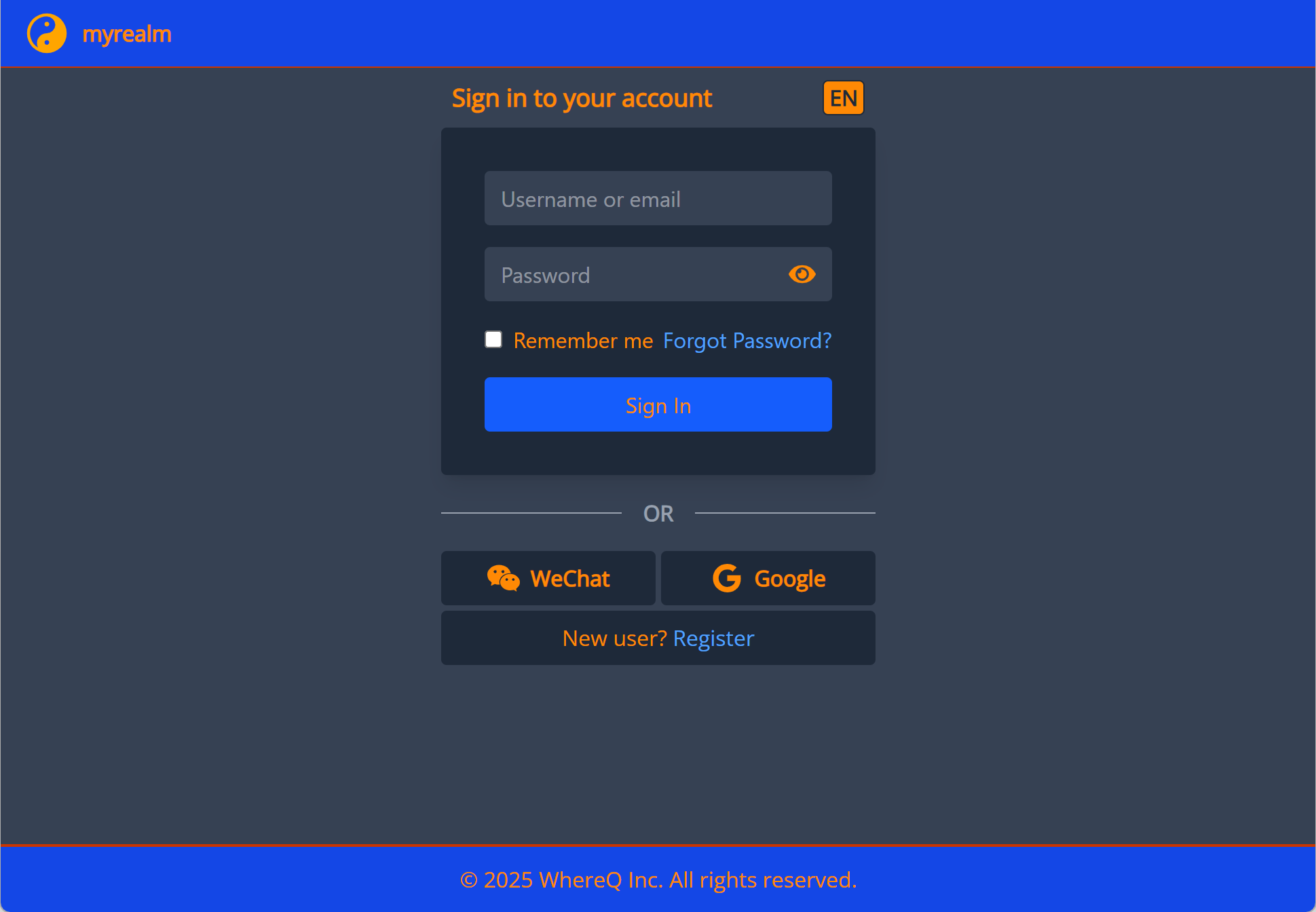
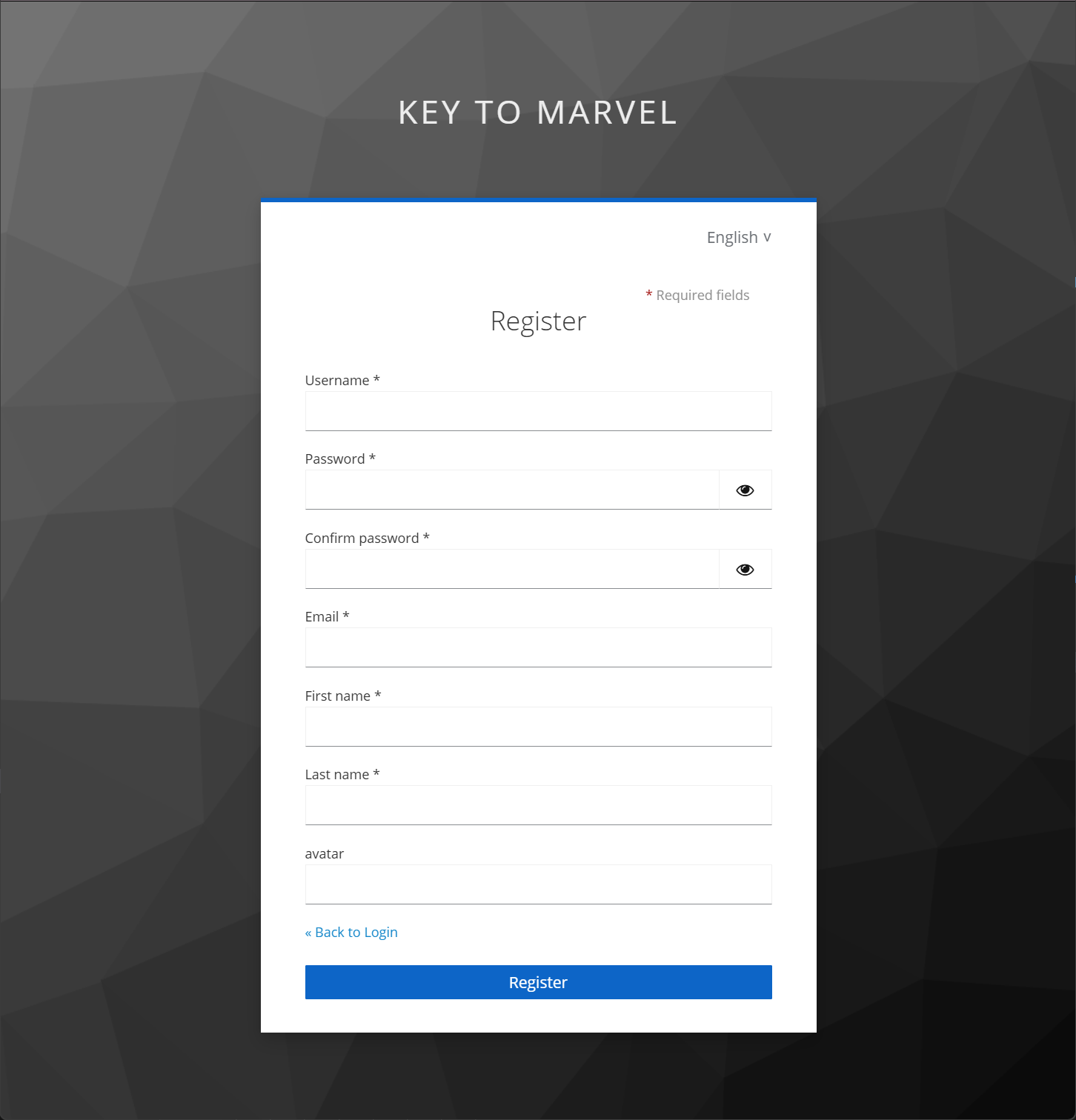
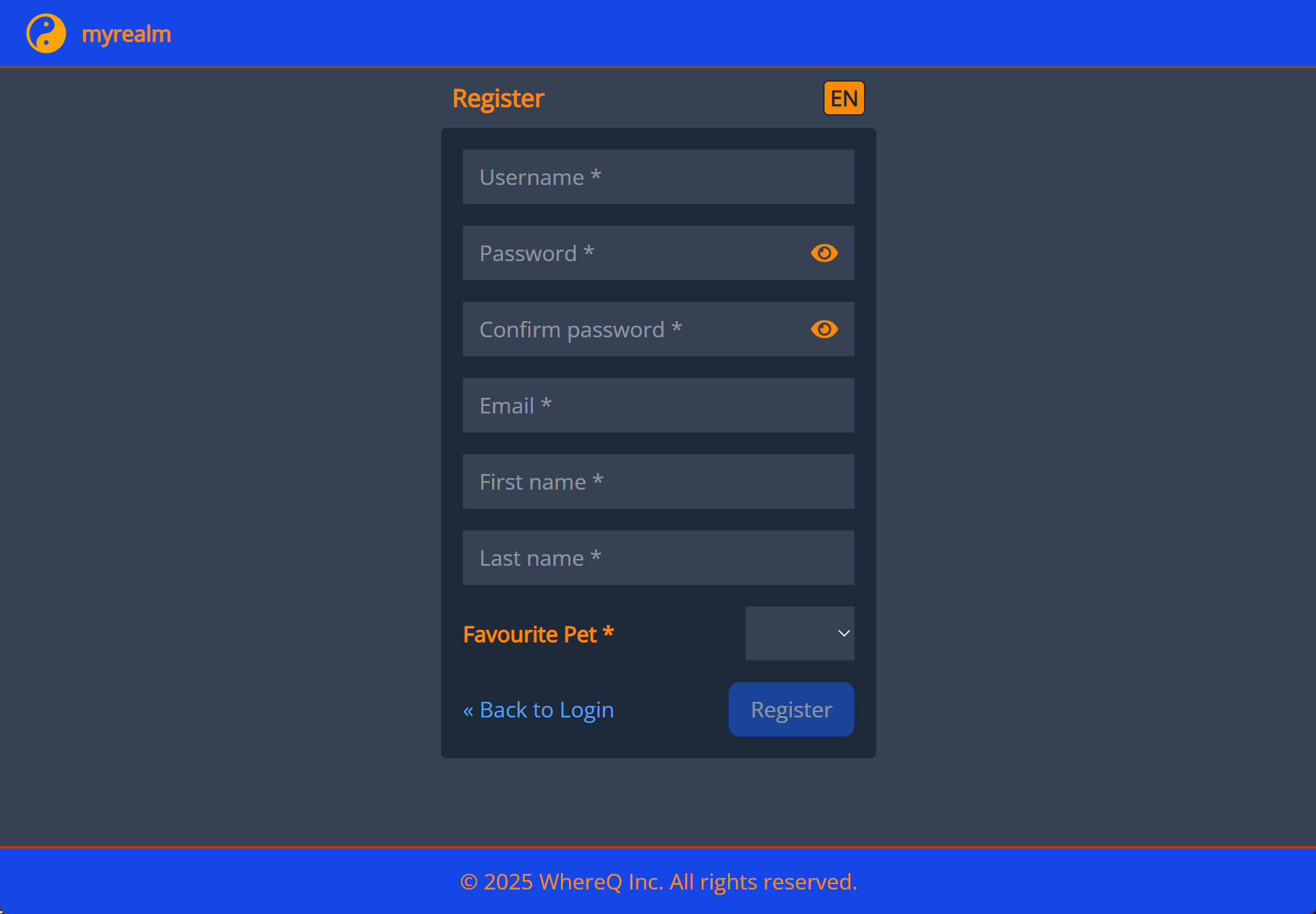
Here’s a glimpse of the before-and-after results:
Login Page
-
Before: Default Keycloak login form with PatternFly styling.
-
After: Custom login form with Tailwind CSS, aligned with our branding.
Registration Page
- Before: Standard Keycloak registration form.
- After: Modern, responsive registration form with custom fields and styling.
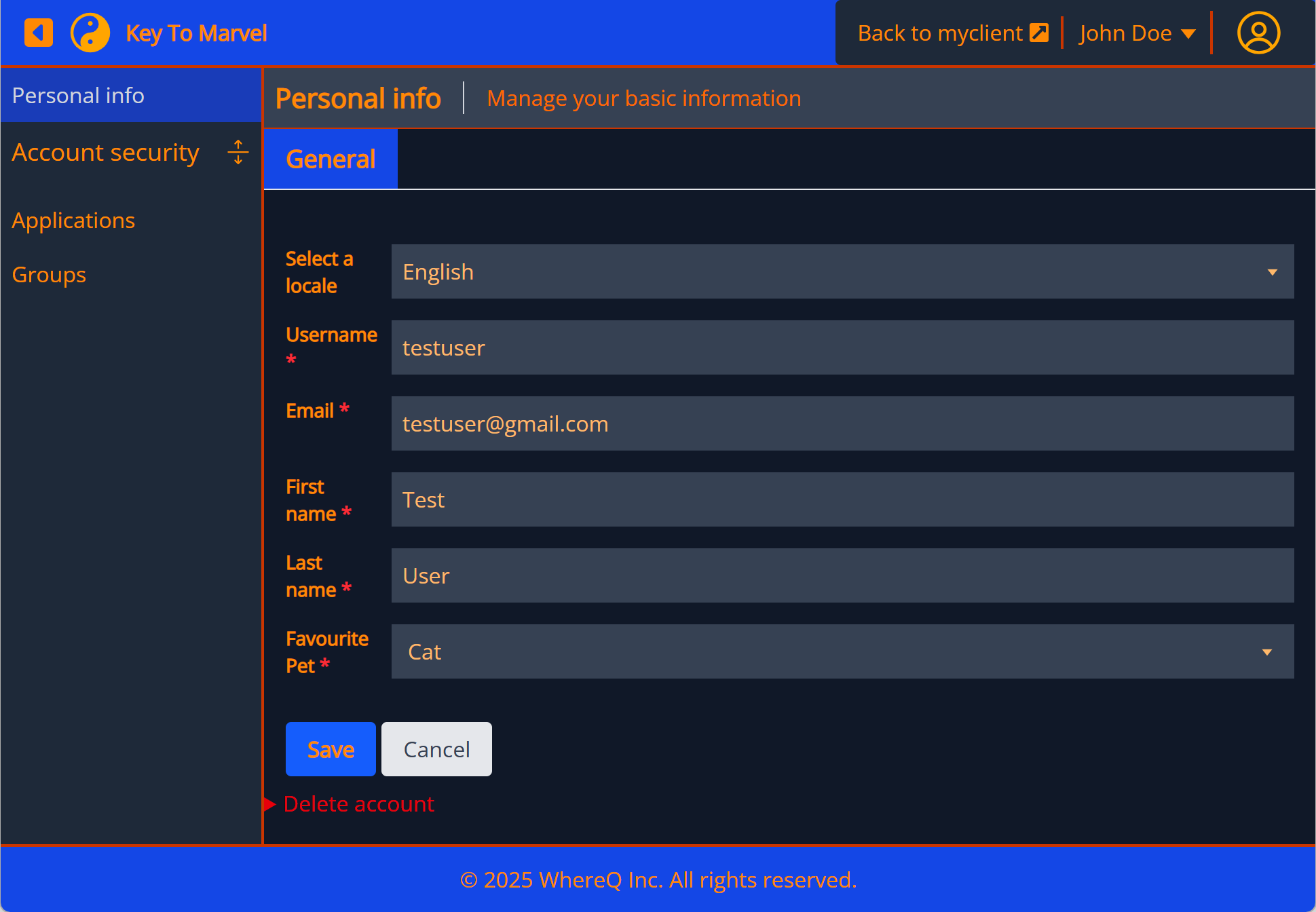
Account (User Profile) Page
- Before: Basic user profile interface.
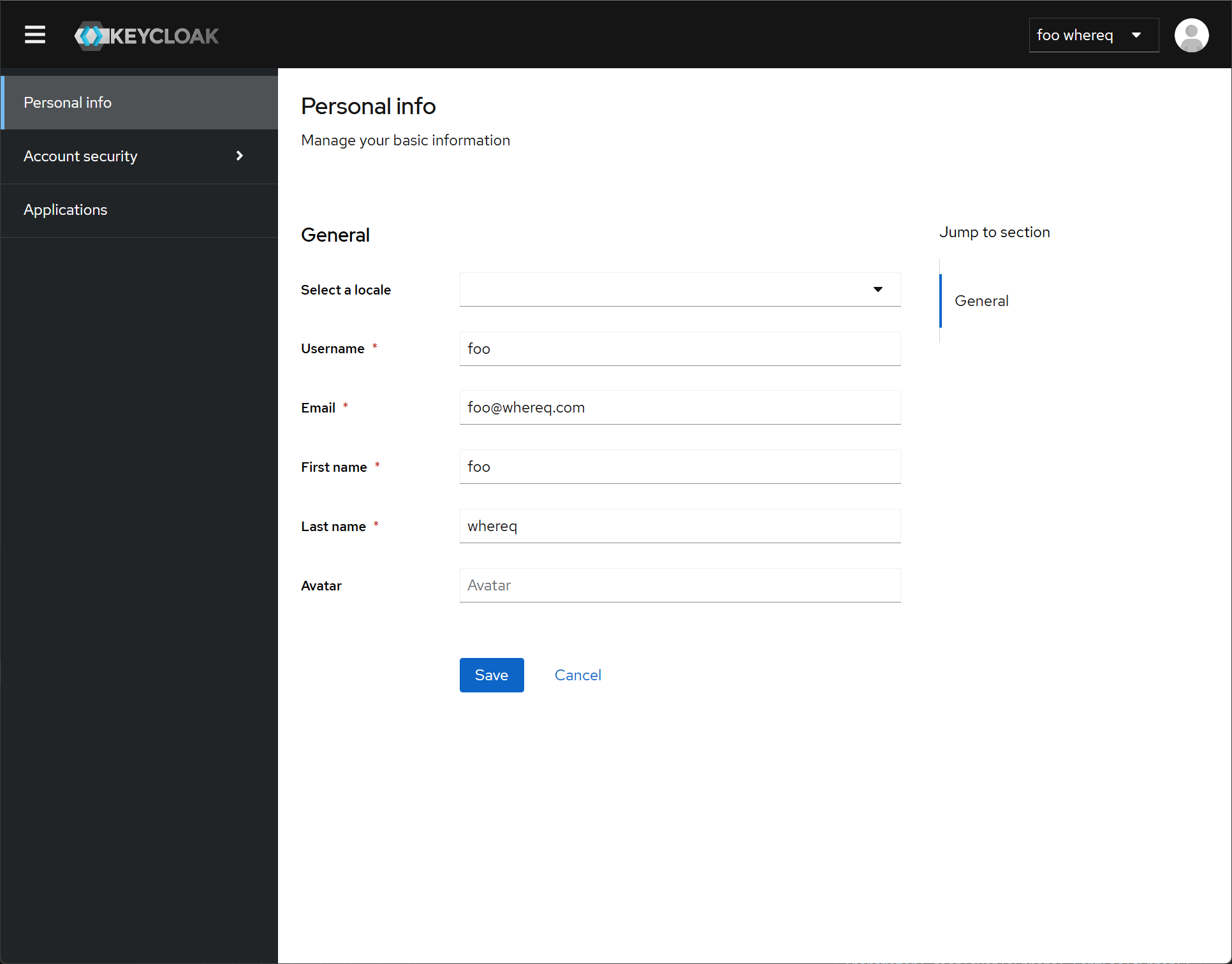
- After: Enhanced profile page with improved UX and branding.
Why Not Build a Custom Front-End from Scratch?
While it’s technically possible to build a custom front-end and communicate with Keycloak via its RESTful API, this approach has significant drawbacks:
- Lack of Documentation: Keycloak’s front-end fields and requirements are not well-documented. You’d need to reverse-engineer the UI or inspect the runtime to understand the required fields.
- Dynamic Requirements: Keycloak’s backend can dynamically change the required fields (e.g., switching between username and email for login). A hardcoded front-end would break if these requirements change.
- Maintenance Overhead: Keeping a custom front-end in sync with Keycloak’s backend updates would require significant effort.
Keycloakify solves these problems by encapsulating the communication logic and providing a stable interface for customization.