Nginx as HTTPS Proxy for HTTP and TCP Backend Services
Overview
We’ll configure NGINX to act as an HTTPS proxy in front of the following backend services:
- Kafka Cluster (TCP-based)
- Elasticsearch Cluster (HTTP-based)
- Avro Schema Registry (HTTP-based)
- MinIO Cluster (HTTP-based)
NGINX will be set up to:
- Route requests to different backend services based on ports.
- Securely serve HTTPS traffic.
- Enable and configure the required NGINX modules for HTTP and TCP traffic management.
Prerequisites
NGINX Installation with Required Modules
Ensure that NGINX is installed with both the HTTP and Stream modules enabled:
- HTTP Module (
ngx_http_module): Enabled by default and necessary for HTTP-based services. - Stream Module (
ngx_stream_module): Required for TCP-based services, like Kafka.
Verifying Installed Modules
Run the following command to check if these modules are enabled:
nginx -V 2>&1 | grep -o 'with-http\|with-stream'
If --with-stream is missing, install NGINX with the Stream module. On most Linux distributions, the full version of NGINX (nginx-full or nginx-extras) will include the Stream module:
# On Ubuntu/Debian
sudo apt-get install nginx-full

# On CentOS/RHEL
sudo yum install nginx
To verify that both modules are available:
nginx -V 2>&1 | grep -o 'with-http\|with-stream'
You should see both with-http and with-stream in the output.
NGINX Configuration
This configuration assumes that we’re using separate ports to route traffic to each backend service through NGINX.
Step 1: General NGINX HTTPS Configuration
Set up SSL/TLS to handle HTTPS traffic. Here’s an example configuration with SSL settings:
http {
    # Define SSL settings for all services
    server {
        listen 443 ssl;
        server_name your-nginx-domain.com;

        ssl_certificate /path/to/your_certificate.crt;
        ssl_certificate_key /path/to/your_private_key.key;

        # TLS configuration for security
        ssl_protocols TLSv1.2 TLSv1.3;
        ssl_ciphers 'ECDHE-ECDSA-AES256-GCM-SHA384:ECDHE-RSA-AES256-GCM-SHA384';
        ssl_prefer_server_ciphers on;

        # Redirect based on port to respective services
        location /elasticsearch/ {
            proxy_pass http://elasticsearch_cluster/;
        }

        location /schema-registry/ {
            proxy_pass http://schema_registry/;
        }

        location /minio/ {
            proxy_pass http://minio_cluster/;
        }
    }
}
Step 2: Configure Each Backend Service
HTTP-based Services (Elasticsearch, Avro Schema Registry, MinIO)
- Elasticsearch (port
9200):- Direct HTTP requests to the Elasticsearch cluster.
- Avro Schema Registry (port
8081):- Redirect requests on
/schema-registryto Avro Schema Registry.
- Redirect requests on
- MinIO (port
9000):- Redirect MinIO requests for storage management.
http {
    upstream elasticsearch_cluster {
        server es1:9200;
        server es2:9200;
    }

    upstream schema_registry {
        server schema-registry1:8081;
    }

    upstream minio_cluster {
        server minio1:9000;
    }

    server {
        listen 443 ssl;
        server_name your-nginx-domain.com;

        ssl_certificate /path/to/your_certificate.crt;
        ssl_certificate_key /path/to/your_private_key.key;

        location /elasticsearch/ {
            proxy_pass http://elasticsearch_cluster;
        }

        location /schema-registry/ {
            proxy_pass http://schema_registry;
        }

        location /minio/ {
            proxy_pass http://minio_cluster;
        }
    }
}
TCP-based Service (Kafka)
- Kafka will require a separate configuration block under
streamto handle TCP-based traffic on port9092.
# Stream block for TCP traffic
stream {
    # Kafka upstream cluster
    upstream kafka_cluster {
        server kafka1:9092;
        server kafka2:9092;
    }

    # TCP Proxy for Kafka
    server {
        listen 9092;
        proxy_pass kafka_cluster;

        # Logging (optional for debugging)
        access_log /var/log/nginx/kafka_access.log;
        error_log /var/log/nginx/kafka_error.log;
    }
}
Step 3: Complete Configuration Example
worker_processes auto;

events {
    worker_connections 1024;
}

http {
    # HTTP services upstreams
    upstream elasticsearch_cluster {
        server es1:9200;
        server es2:9200;
    }

    upstream schema_registry {
        server schema-registry1:8081;
    }

    upstream minio_cluster {
        server minio1:9000;
    }

    # SSL and HTTP proxy configurations
    server {
        listen 443 ssl;
        server_name your-nginx-domain.com;

        ssl_certificate /path/to/your_certificate.crt;
        ssl_certificate_key /path/to/your_private_key.key;
        ssl_protocols TLSv1.2 TLSv1.3;
        ssl_ciphers 'ECDHE-ECDSA-AES256-GCM-SHA384:ECDHE-RSA-AES256-GCM-SHA384';
        ssl_prefer_server_ciphers on;

        location /elasticsearch/ {
            proxy_pass http://elasticsearch_cluster;
        }

        location /schema-registry/ {
            proxy_pass http://schema_registry;
        }

        location /minio/ {
            proxy_pass http://minio_cluster;
        }
    }
}

# Stream block for TCP traffic to Kafka
stream {
    upstream kafka_cluster {
        server kafka1:9092;
        server kafka2:9092;
    }

    server {
        listen 9092;
        proxy_pass kafka_cluster;

        access_log /var/log/nginx/kafka_access.log;
        error_log /var/log/nginx/kafka_error.log;
    }
}
Verifying the Configuration
- Test Configuration Syntax: Ensure there are no syntax errors in the configuration file.
sudo nginx -t
- Reload NGINX: Apply changes.
sudo systemctl reload nginx
- Confirm Stream Module Availability:
nginx -V 2>&1 | grep -- 'with-stream'
- Check Connection to Services: Using
curlfor HTTP services or Kafka client tools, verify that requests are correctly routed.
This setup provides a secure, flexible solution to route requests to both HTTP and TCP-based backend services via NGINX, using HTTPS for secure communications and the necessary modules for protocol compatibility.
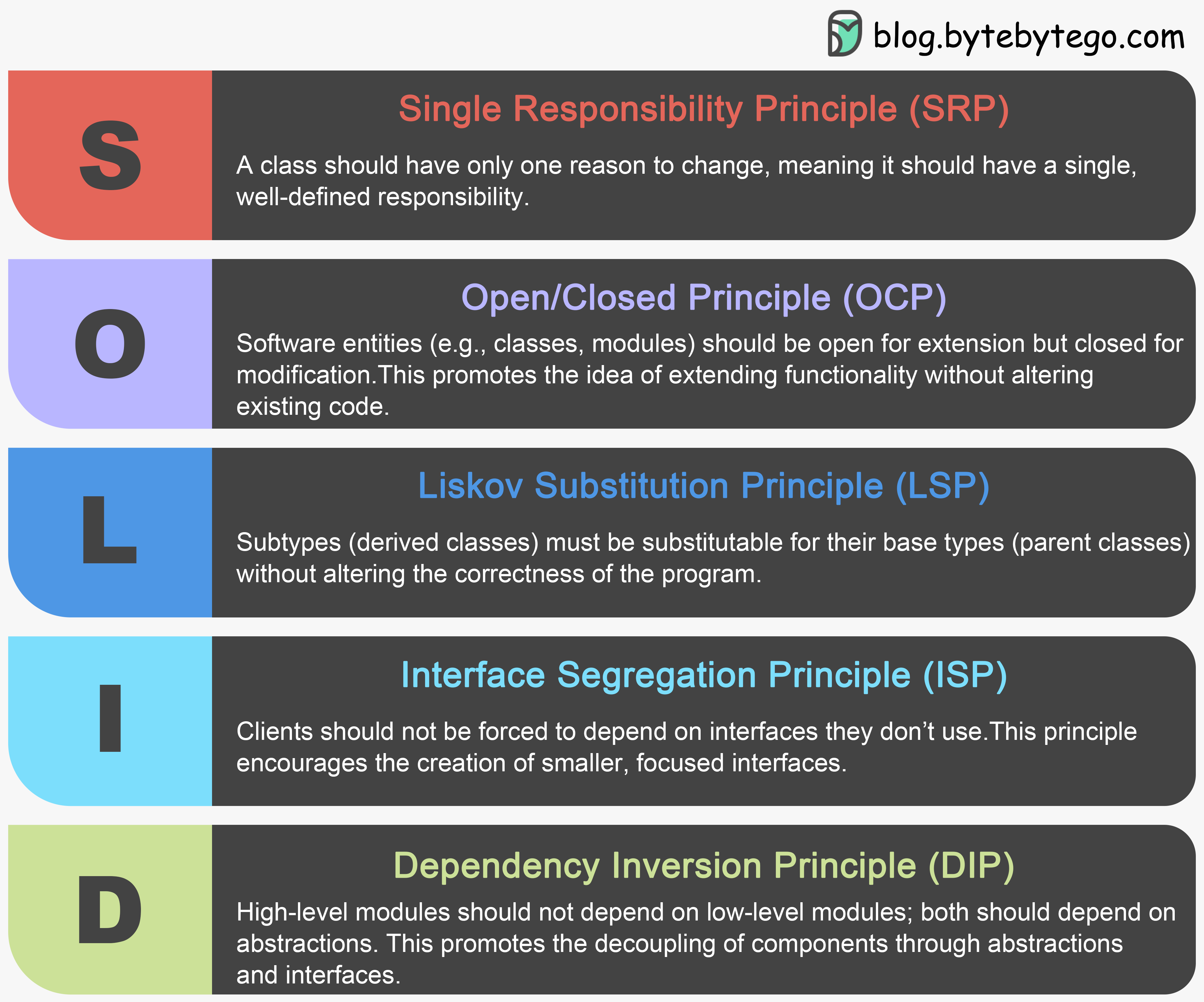 This article will explain each principle, provide examples of how they can be broken, and show the correct implementation to fix them.